Select Page

Shadow AI: What Happens When Employees Use AI Without IT Approval?


Artificial intelligence is quickly becoming part of everyday work. Employees use AI tools to write emails, summarize documents, create presentations, analyze data, write code, and troubleshoot technical problems.

However, there is a growing security concern behind this productivity boost: Shadow AI.

Shadow AI refers to the use of AI tools or AI features by employees without the knowledge, approval, or governance of the organization's IT or security team.

The problem is not necessarily that employees are using AI. Instead, the problem is that IT may not know what tools are being used, what information is being shared, or how that information is being handled.

Shadow AI is similar to the idea of Shadow IT.

In traditional Shadow IT, employees might install unauthorized applications or use cloud services without informing IT.

With Shadow AI, employees may use public AI services, browser extensions, coding assistants, or AI-powered applications without going through the organization's security and approval process.

For example, an employee might copy a customer complaint into a public AI chatbot and ask:

"Summarize this and write a professional response."

The employee may only see this as a productivity shortcut. However, from a security perspective, company or customer information has now been sent to an external AI service.

That is where the risk begins.What Is Shadow AI?

Shadow AI is similar to the idea of Shadow IT.

In traditional Shadow IT, employees might install unauthorized applications or use cloud services without informing IT.

With Shadow AI, employees may use public AI services, browser extensions, coding assistants, or AI-powered applications without going through the organization's security and approval process.

For example, an employee might copy a customer complaint into a public AI chatbot and ask:

"Summarize this and write a professional response."

The employee may only see this as a productivity shortcut. However, from a security perspective, company or customer information has now been sent to an external AI service.

That is where the risk begins.

Shadow AI is similar to the idea of Shadow IT.

In traditional Shadow IT, employees might install unauthorized applications or use cloud services without informing IT.

With Shadow AI, employees may use public AI services, browser extensions, coding assistants, or AI-powered applications without going through the organization's security and approval process.

For example, an employee might copy a customer complaint into a public AI chatbot and ask:

"Summarize this and write a professional response."

The employee may only see this as a productivity shortcut. However, from a security perspective, company or customer information has now been sent to an external AI service.

That is where the risk begins.

Why Is Shadow AI a Security Problem?

The biggest concern is data exposure.

Employees may unknowingly provide AI tools with:

    • Customer information
    • Internal documents
    • Source code
    • Network configurations
    • Credentials or API keys
    • Financial information
    • Business strategies
    • Personally identifiable information (PII)

Consequently, an organization may lose visibility over where sensitive information is being processed.

NIST's AI Risk Management Framework specifically highlights information security and privacy as risks organizations should consider when adopting generative AI.

A Simple Example

Imagine a network administrator is troubleshooting a firewall issue.

They copy a configuration containing:

Firewall IP addresses
Public IP addresses
VPN configuration
Internal network information
Usernames

They then paste the configuration into an online AI tool and ask it to identify the problem.

The AI may provide a very useful answer.

However, the administrator may have unintentionally shared sensitive infrastructure information with an external service.

The technical problem may have been solved, but a security problem may have been created.

Shadow AI Is Not Always an "Unknown AI App"

This is an important distinction.

Organizations may approve a productivity application, but that application can later introduce new AI capabilities.

Therefore, simply maintaining a list of approved applications may not be enough.

Recent security discussions are increasingly focused on how employees interact with AI features, rather than only whether the application itself is approved.

For example:

Approved Application
        ↓
New AI Feature
        ↓
Employee Uses AI
        ↓
Sensitive Data Shared
        ↓
Security Team Has No Visibility

As a result, organizations need to think about AI usage and data handling, not just application approval.

Shadow AI and AI-Generated Code

Another growing concern is AI-assisted coding.

Developers can use AI tools to generate:

    • Scripts

    • PowerShell

    • Python

    • SQL
    • Infrastructure-as-code
    • Automation

This can significantly improve productivity. However, AI-generated code still needs to be reviewed before being used in production. For example, an employee may ask an AI tool to create a script that disables security controls or handles credentials. The script may work correctly, but it could contain insecure practices.Therefore, AI-generated code should go through the same security review as human-written code.

Should Companies Completely Block AI Tools?

Not necessarily. A complete ban may simply encourage employees to find ways around security controls. Instead, organizations should make secure and approved AI usage easier than unauthorized usage.

For example, companies can provide:

    • Approved AI tools
    • Clear AI usage policies
    • Data classification guidelines
    • DLP controls
    • Identity-based access
    • Logging and monitoring
    • Employee security training

As a result, employees can use AI while the organization maintains better visibility and control.

Shadow AI Best Practices

Organizations can reduce Shadow AI risks by following a few practical steps.

1. Create an AI Usage Policy

Clearly explain what employees can and cannot share with AI tools.

2. Provide Approved AI Tools

Instead of simply blocking AI, provide employees with secure alternatives.

3. Protect Sensitive Data

Employees should never paste passwords, API keys, confidential documents, customer data, or sensitive infrastructure information into public AI services.

4. Use DLP and Security Controls

Where appropriate, use Data Loss Prevention (DLP), endpoint controls, web filtering, and identity policies to detect and prevent inappropriate data sharing.

5. Monitor AI Usage

Security teams should understand which AI services are being accessed and how they are being used.

6. Train Employees

Most Shadow AI incidents may start with a simple misunderstanding rather than malicious intent.

Therefore, employees should understand what information is safe to share and what should remain inside the organization.

7. Review AI Tools Regularly

AI capabilities change quickly. Consequently, an application that was considered low-risk yesterday may introduce new AI functionality tomorrow.

Organizations should therefore review AI usage and security policies regularly.

Shadow AI: The Goal Is Control, Not a Ban

AI can provide significant productivity benefits.

Therefore, the objective should not simply be to prevent employees from using AI.

Instead, organizations should create a controlled environment where employees can use approved AI tools while protecting sensitive information.

Think of it this way:

Uncontrolled AI → Shadow AI → Low visibility → Higher risk

Whereas:

Approved AI → Clear policies → Monitoring → Controlled adoption

Final Thoughts

Shadow AI is becoming an important cybersecurity and governance challenge as organizations adopt AI faster than traditional IT policies can adapt.

However, the solution isn't necessarily to block everything.

Organizations should focus on visibility, data protection, identity, access control, employee awareness, and clear AI governance.

Most importantly, employees need to understand that AI tools should be treated like any other external service: don't share sensitive information unless your organization has approved the service and understands how that data is handled.

AI can be a powerful productivity tool. Nevertheless, without proper governance, that same productivity can introduce a new security risk.

The goal isn't to stop employees from using AI. The goal is to make sure they can use it safely.

Upgrading 10G NIC driver on Linux (Intel® 82599ES 10 Gigabit Ethernet Controller)

How to upgrade 10G Intel NIC driver in Linux.


Step 1: Identify the NIC adapter on the server/machine.


For upgrading the NIC driver, First you need to identify the NIC model for that you can use “lspci” command.
Use the command “lspci | grep -i net” to list the PCIe devices. (Usually 10G NIC’s are plugged into the PCIe slots on the Motherboard)

Command: lspci | grep -i net

Sample Output:

04:00.0 Ethernet controller: Intel Corporation 82599ES 10-Gigabit SFI/SFP+ Network Connection (rev 01)
04:00.1 Ethernet controller: Intel Corporation 82599ES 10-Gigabit SFI/SFP+ Network Connection (rev 01)
06:00.0 Ethernet controller: Intel Corporation 82576 Gigabit Network Connection (rev 01)
06:00.1 Ethernet controller: Intel Corporation 82576 Gigabit Network Connection (rev 01)

Here our 10G adapter is Ethernet controller: Intel Corporation 82599ES 10-Gigabit SFI/SFP+ Network Connection (rev 01)


Step 2: Identify the active interface in the OS.


For identify the active interface just type “ip a” on the terminal, this will display the interfaces on the OS and from the list identify the active interface name.

Command: ip a

Sample Output:

1: lo: <LOOPBACK,UP,LOWER_UP> mtu 65536 qdisc noqueue state UNKNOWN
link/loopback 00:00:00:00:00:00 brd 00:00:00:00:00:00
inet 127.0.0.1/8 scope host lo
inet6 ::1/128 scope host
valid_lft forever preferred_lft forever
2: eth0: <BROADCAST,MULTICAST,UP,LOWER_UP> mtu 1500 qdisc pfifo_fast state UP qlen 1000
link/ether 32:36:65:64:66:34 brd ff:ff:ff:ff:ff:ff
inet x.x.x.x/x brd 50.7.126.127 scope global eth0
inet6 x:x:x::x/64 scope global
valid_lft forever preferred_lft forever
inet6 x::x:x:x:x/64 scope link
valid_lft forever preferred_lft forever


Step 3: Check the current driver version of the NIC.


For identifying the driver version use the command “ethtool -i <interface name>” Eg: ethool -i eth0
From the results you can view the current driver version. The output will be something like this.

Command: ethtool -i <interface name>

Sample Output:

driver: ixgbe
version: 4.2.1-k
firmware-version: 0x80000208
bus-info: 0000:04:00.0
supports-statistics: yes
supports-test: yes
supports-eeprom-access: yes
supports-register-dump: yes
supports-priv-flags: no

Here the “version: 4.2.1-k” indicates the current driver version of the NIC.


Step 4: Download the latest available driver from Intel.


Go to https://downloadcenter.intel.com/product/32609/Intel-82599-10-Gigabit-Ethernet-Controller
to download the required driver.

https://downloadcenter.intel.com/product/32609/Intel-82599-10-Gigabit-Ethernet-Controller

For Linux: https://downloadcenter.intel.com/download/14687/Ethernet-Intel-Network-Adapter-Driver-for-PCIe-Intel-10-Gigabit-Ethernet-Network-Connections-Under-Linux-?product=32609

https://downloadcenter.intel.com/download/14687/Ethernet-Intel-Network-Adapter-Driver-for-PCIe-Intel-10-Gigabit-Ethernet-Network-Connections-Under-Linux-?product=32609

Download the latest available driver from the above link.


Step 5: Install/upgrade the Driver.


To manually build the driver
—————————-
1. Move the base driver tar file to the directory of your choice.
For example, use ‘/home/username/ixgbe’ or ‘/usr/local/src/ixgbe’.

2. Untar/unzip the archive, where <x.x.x> is the version number for the
driver tar file:

# tar zxf ixgbe-<x.x.x>.tar.gz

3. Change to the driver src directory, where <x.x.x> is the version number
for the driver tar:

# cd ixgbe-<x.x.x>/src/

4. Compile the driver module:

# make install

The binary will be installed as:
/lib/modules/<KERNEL VER>/updates/drivers/net/ethernet/intel/ixgbe/ixgbe.ko

The install location listed above is the default location. This may differ
for various Linux distributions.

5. Load the module using the modprobe command.

To check the version of the driver and then load it:

# modinfo ixgbe
# modprobe ixgbe [parameter=port1_value,port2_value]

Alternately, make sure that any older ixgbe drivers are removed from the
kernel before loading the new module:

# rmmod ixgbe; modprobe ixgbe


Note: For certain distributions like (but not limited to) Red Hat Enterprise
Linux 7 and Ubuntu, once the driver is installed, you may need to update the
initrd/initramfs file to prevent the OS loading old versions of the ixgbe
driver.

Use the dracut utility on Red Hat distributions:
# dracut –force

For Ubuntu:
# update-initramfs -u


Step 6: Check and verify the new driver version.


Use the same command we used before “ethtool -i <interface name>” to view the driver version

Command: ethtool -i <interface name>

Sample Output:

driver: ixgbe
version: 5.7.1-k
firmware-version: 0x80000208
bus-info: 0000:04:00.0
supports-statistics: yes
supports-test: yes
supports-eeprom-access: yes
supports-register-dump: yes
supports-priv-flags: no


Note: Please read the read me file available from Intel before proceeding.


That’s all for now. CHEERS!!!

Firefox Developer Edition

Mozilla Firefox Released Firefox Developer Edition

Built for those who build the Web

Introducing the only browser made for developers like you.

  • Designed for developers

    The only browser made just for developers, Firefox Developer Edition was created with your workflow in mind. Build, test, scale and more all from one place, for the first time ever.


  • Debug any browser

    Inspect and debug your app across any browser or device with Valence — a powerful, pre-installed extension that you’ll only find in Firefox Developer Edition.


  • Pixel-perfect coding

    Target screen sizes with the Responsive Design View and tweak your CSS on the fly with the built-in Style Editor for pixel-perfect coding.

    All your favorite dev tools and more

    Firefox Developer Edition brings your core dev tools together with some powerful new ones that will extend your ability to work across multiple platforms from one place. It’s everything you’re used to, only better. And only from Firefox.

    WebIDE

    Develop, deploy and debug Firefox OS apps directly in your browser, or on a Firefox OS device, with this tool that replaces App Manager.


Responsive Design View

See how your Website or Web app will look on different screen sizes without changing the size of your browser window.


Valence

Develop and debug your apps across multiple browsers and devices with this powerful extension that comes pre-installed with Firefox Developer Edition.


Web Audio Editor

Inspect and interact with Web Audio API in real time to ensure that all audio nodes are connected in the way you expect.


Page Inspector

Examine the HTML and CSS of any Web page and easily modify the structure and layout of a page.


Web Console

See logged information associated with a Web page and use Web Console to interact with Web pages using JavaScript.


JavaScript Debugger

Step through JavaScript code and examine or modify its state to help track down bugs.


Network Monitor

See all the network requests your browser makes, how long each request takes and details of each request.


Style Editor

View and edit CSS styles associated with a Web page, create new ones and apply existing CSS stylesheets to any page.


How to Delete Google + Community

How to Delete your Google Plus Community ?

if you are planning to delete your Google + community but you don’t figure it out how to, here the answer 

How to :
  • Sign in to your Google + account and select your community which you want to delete 
  • then click on Action Button and Select Edit Community 


  • After page opens click “Delete this Community” link

  • Pop-up window will show and ask you for confirmation, just tick mark in the check box then click on Delete Community button.

HP’s “The Machine” A New Kind of Computer

HP’s The Machine : A New Kind of computer 

By 2020, 30 billion connected devices will generate unprecedented amounts of data. The infrastructure required to collect, process, store, and analyze this data requires transformational changes in the foundations of computing. Bottom line: current systems can’t handle where we are headed and we need a new solution.

HP has that solution in The Machine. By discarding a computing model that has stood unchallenged for sixty years, we are poised to leave sixty years of compromises and inefficiencies behind. We’re pushing the boundaries of the physics behind IT, using electrons for computation, photons for communication, and ions for storage.

Prototype of HP’s The Machine @ HP Lab’s

The Machine will fuse memory and storage, flatten complex data hierarchies, bring processing closer to the data, embed security control points throughout the hardware and software stacks, and enable management and assurance of the system at scale.
The Machine will reinvent the fundamental architecture of computers to enable a quantum leap in performance and efficiency, while lowering costs over the long term and improving security.The industry is at a technology inflection point that HP is uniquely positioned to take advantage of going forward. The Machine demonstrates the innovation agenda that will drive our company, and the world, forward.

At HP Discover in Las Vegas, Martin Fink will tell you their vision of future for the New Style of IT

HP 3PAR shifts into higher gear

HP Discover is there again (December time frame for EMEA) and there are the new announcements.
An important message came from the HP Storage Division with a major update on its 3PAR portfolio. Find here the most important changes:
Hardware updates:
The current line-up in the 7000 range gets updated with new controllers. 7200 becomes 7200c (converged controller), 7400 becomes 7400c and there is a new “big” 7440c added with a huge 960 disks support.

The heart of the controller being the ASIC remains Gen4, the biggest difference is the expansion of the controller memory. This is off course needed for the second section of this post being the new file services added. There is separate cache foreseen (replicated across the controllers) for block and file access.

All controllers are now flash-optimized and can be used as AFA (All-Flash-Array) just like the 7450. The main difference however is that 7450 is AFA only, while the others can be configured with spinning media disks as well. Hot data gets cold after some amount of time, and so the 3PAR array can offload that not-so-hot data to cheaper spinning media…
Important message remains that, independent of the model you buy, you get the same features and functionality. Only the size is different. HP calls this Polymorphic Simplicity.
 File Services:
One reason I am not attending HP Discover this time is that I had the possibility to attend a HP Storage event at HP in Houston with a lot of hands-on labs including all the new features. Including the newly announced File Services on the new 7xx0c models. Easy to set up, easy to manage. Really looking good.
If you wanted File Services so far you needed to add a pair of HP StoreServ File Controllers which is mainly a Proliant DL server with Windows Storage Server running on top of it.
Now there is (finally) an on-controller option.
Let it be clear from the start: the StoreServ File Controller is not gone. Let’s take a look at the similarities and differences.
The File Persona (on-controller) is only supported on the new 7xx0c models. Any other 3PAR array still need the File Controller. This is because of the current models (without the ‘c’) due to the reduced amount of cache in the controllers.
Further the File Persona supports at launch up to 3.000 concurrent users (1500 users per controller pair), the File Controller is tested up to 40.000 users. It supports also more TBs per controller (352TB versus 128TB with the File Persona.
Besides that you can expect the typical features like SMB, NFS, LDAP, NDMP and Rest API support.
At launch there are 2 antivirus scan engines supported that can be integrated with the File Persona: Symantec Protection Engine and McAfee VirusScan Enterprise. There is in-flight and at-rest protection available.
New management interface
For those who are familiar with the current IMC management console they will confirm that it got a little dated compared to other tools like for instance HP OneView.

Well the 3PAR developers looked very good to their colleagues from the server team since they released now a complete new management stack which looks completely like the ‘doughnut’ view of OneView.
The new tool is called SSMC (StoreServ Management Console) and must be installed on a separate server and is running as a web service.
This tool is also the primary tool to manage block and file storage.
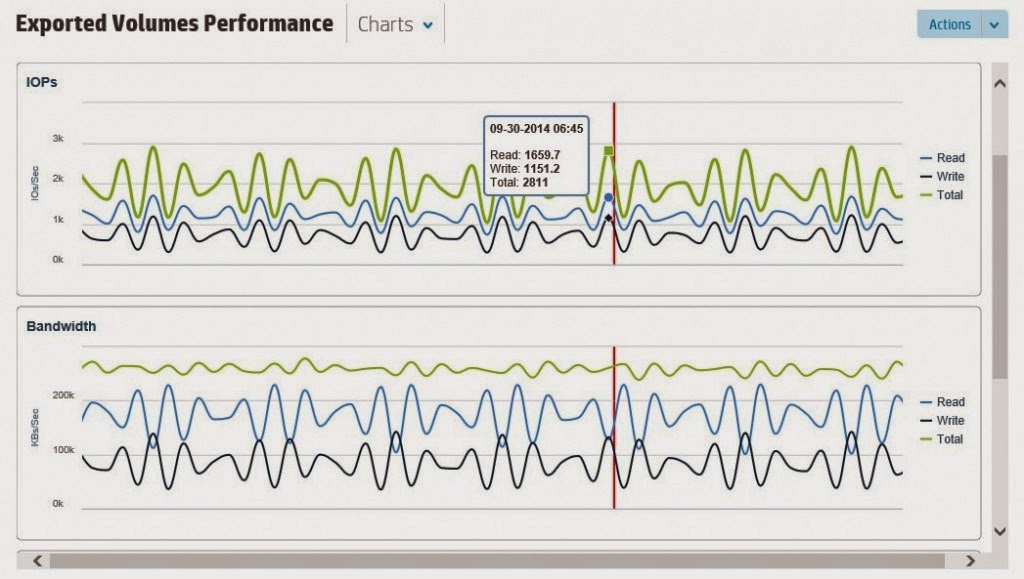
Also System Reporter functionality will be moved into this new console.
No separate license is needed, only requirement is 3PAR OS 3.1.3 and above.

t>

The newly announced Recovery Manager Central (RMC) enables flat backup from 3PAR directly to StoreOnce.

RMC for VMware supports application-consistent snapshots, RMC Express Connect for all other snap backups is crash-consistent.
What HP directly mentions is that it will not replace your backup application but that it is more complementary along with the backup app. But it will help for sure lower your RTO and RPO.
Together with already announced features like 6-nines support, Adaptive Flash Cache, inline Deduplication, Federation and so on, HP proves that the HP 3PAR platform is a leader in its market and is there to stay.
Check out also my fellow bloggers at the event in Barcelona on all new announcements:

@HPStorageGuy: http://www.hp.com/storage/blog

@Craig_Kilborn: http://vmfocus.com/2014/12/02/new-hp-3par-storeserv-file-persona/
@esignoretti : http://juku.it/en/hp-3par-360-storage/
@PTerlisten : http://www.vcloudnine.de/hp-discover-new-3par-storeserv-models/
@pbsellers : http://www.techazine.com/2014/12/02/3par-storeserv-gets-new-management-console/

 A Contribution from bitcon

Pin It on Pinterest