by George Sruthin | Aug 2, 2026 | Backup, Howtos, Servers, Storages
Data is one of the most valuable assets a business owns. Yet many organizations invest in backup solutions without following the best practices needed to ensure those backups are actually recoverable.
Whether it's a ransomware attack, hardware failure, accidental deletion, or natural disaster, a poorly designed backup strategy can lead to extended downtime, financial loss, and damaged customer trust.
Here are the 10 most common backup mistakes that businesses make—and how to avoid them.
1. Having Only One Backup Copy
Keeping a single backup is a major risk. If that backup becomes corrupted, encrypted, or accidentally deleted, recovery may be impossible. Therefore, maintaining multiple backup copies is essential.
Best Practice: Follow the 3-2-1-1-0 backup strategy by maintaining multiple copies of your data across different storage locations.
2. Never Testing Backup Restores
Many organizations assume their backups are working because backup jobs complete successfully. Unfortunately, a successful backup doesn't always guarantee a successful restore.
Best Practice: Schedule regular restore tests to verify backup integrity and ensure recovery procedures work as expected.
3. Not Using Immutable Backups
Modern ransomware specifically targets backup repositories. As a result, organizations that don't use immutable storage risk losing both production data and backup copies. If attackers can delete or encrypt your backups, your recovery options become extremely limited.
Best Practice: Store at least one backup copy in an immutable repository where backup files cannot be modified or deleted during the retention period.
4. Storing All Backups in One Location
Keeping every backup in the same building exposes your business to risks such as fire, flooding, theft, or power failures. For this reason, at least one backup copy should always be stored offsite.
Best Practice: Maintain at least one offsite backup copy or use secure cloud storage for disaster recovery.
5. Using the Same Administrator Credentials Everywhere
If backup infrastructure shares the same administrator credentials as production systems, attackers can compromise everything with a single account.
Best Practice: Use dedicated administrator accounts, enable Multi-Factor Authentication (MFA), and apply the principle of least privilege.
6. Ignoring Backup Monitoring
Failed backup jobs often go unnoticed until recovery is needed.
Best Practice: Monitor backup jobs daily and configure alerts for failed or missed backups.
7. Keeping Backup Servers on the Production Network
If ransomware spreads through the production environment, backup servers connected to the same network may also be compromised.
Best Practice: Isolate backup infrastructure using network segmentation and dedicated management access.
8. Poor Backup Retention Policies
Very short retention periods may leave you without a clean recovery point if ransomware remains undetected for several weeks.
Best Practice: Review your retention policies regularly and align them with your business and compliance requirements.
9. Delaying Software Updates
Outdated backup software and operating systems may contain vulnerabilities that attackers can exploit.
Best Practice: Keep backup applications, operating systems, and firmware updated with the latest security patches.
10. Having No Disaster Recovery Plan
Backups alone are not enough. Without documented recovery procedures, restoring critical systems can take far longer than expected.
Best Practice: Develop a disaster recovery plan, document recovery priorities, and conduct periodic recovery drills with your IT team.
A reliable backup strategy is more than just scheduling backup jobs—it's about ensuring your business can recover quickly when disaster strikes.
By avoiding these common mistakes and following industry best practices such as the 3-2-1-1-0 backup strategy, immutable storage, offsite backups, and regular restore testing, organizations can significantly reduce the impact of ransomware, hardware failures, and other unexpected events.
Whether you're using Veeam Backup & Replication or another enterprise backup solution, the principles remain the same: secure your backups, verify them regularly, and always be prepared to restore when it matters most.
by George Sruthin | Jun 27, 2022 | Howtos, Storages
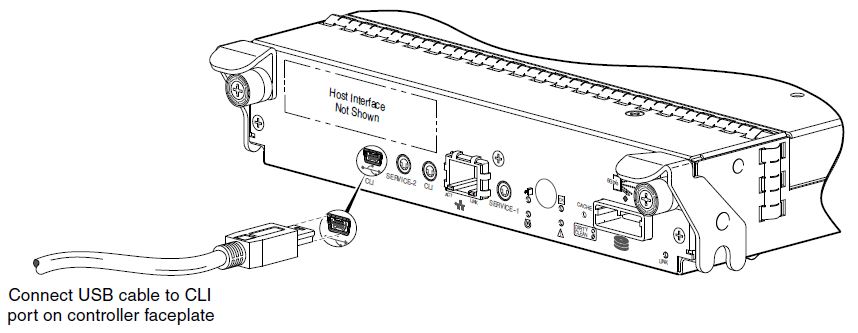
connect USB to your pc, open device manager and find COM port number, open putty, select serial, and change COM port number, "Baud rate" value may vary.
Default User name is " manage"
Default Password is " !manage "
Since there are 2 controllers you have to select A or B then type command in the following syntax.
set network-parameters ip address netmask netmask gateway gateway controller a|b
I am changing "B" controller in the tutorial, so it will looks like this.
set network-parameters ip 10.150.239.102 netmask 255.255.255.0 gateway 10.150.239.245 controller b
now type the ip in browser with https, thats it, enjoy.
by Teffin Varghese | Oct 31, 2021 | Hosting, Howtos, Linux, Networking, OS, Review, Security, Servers, Troubleshooting, Unix, VPN, VPS, Vulnerability, Workstation
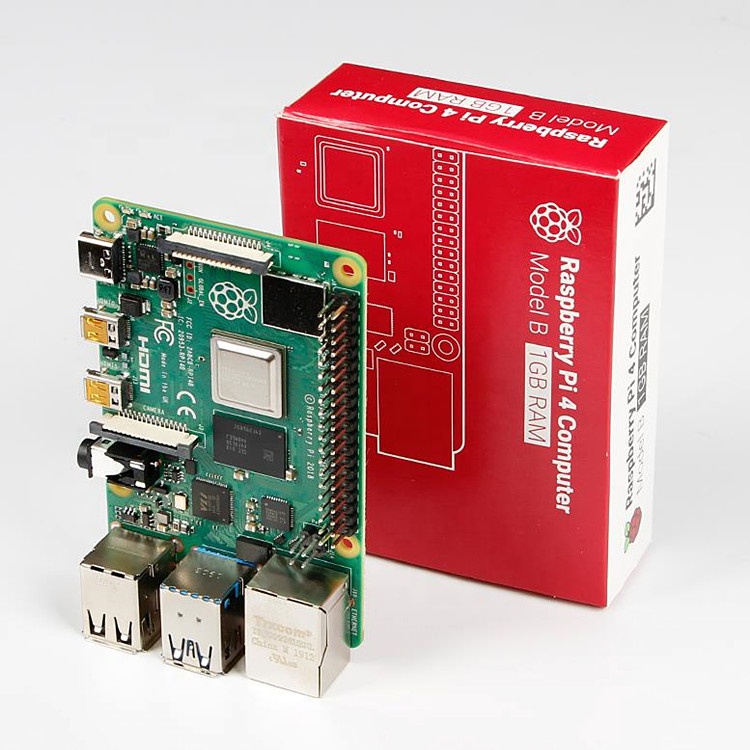
For the 64-Bit OS support we need to use Raspberry Pi 4
I’m using Raspberry Pi 4 Model-B With * Gigs of RAM, A 4GB RAM model would work just fine.
But First what is Raspberry Pi and what is it used for ?
he Raspberry Pi is a low cost, credit-card sized computer that plugs into a computer monitor or TV, and uses a standard keyboard and mouse.
It is a capable little device that enables people of all ages to explore computing, and to learn how to program in languages like Scratch and Python.
It’s capable of doing everything you’d expect a desktop computer to do, from browsing the internet and playing high-definition video, to making spreadsheets, word-processing, and playing games.
What’s more, the Raspberry Pi has the ability to interact with the outside world, and has been used in a wide array of digital maker projects, from music machines and parent detectors to weather stations and tweeting birdhouses with infra-red cameras.
We want to see the Raspberry Pi being used by kids all over the world to learn to program and understand how computers work.
Assemble and enclose the Raspberry Pi, We recommend a case with passive cooling or with a small fan and heat-sinks.
Yes of course you can the Pi without any case or cooling setup, But we recommend to use a cooling case for protection and better performance.
Download Kali-Linux Image from the official website.
You can get the download link from the below URL.
You need to select ARM image category, then choose the Raspberry Pi 64-bit Image.
Now you need to write this image to a Micro SD card, Which you are going to use it on your Raspberry Pi.
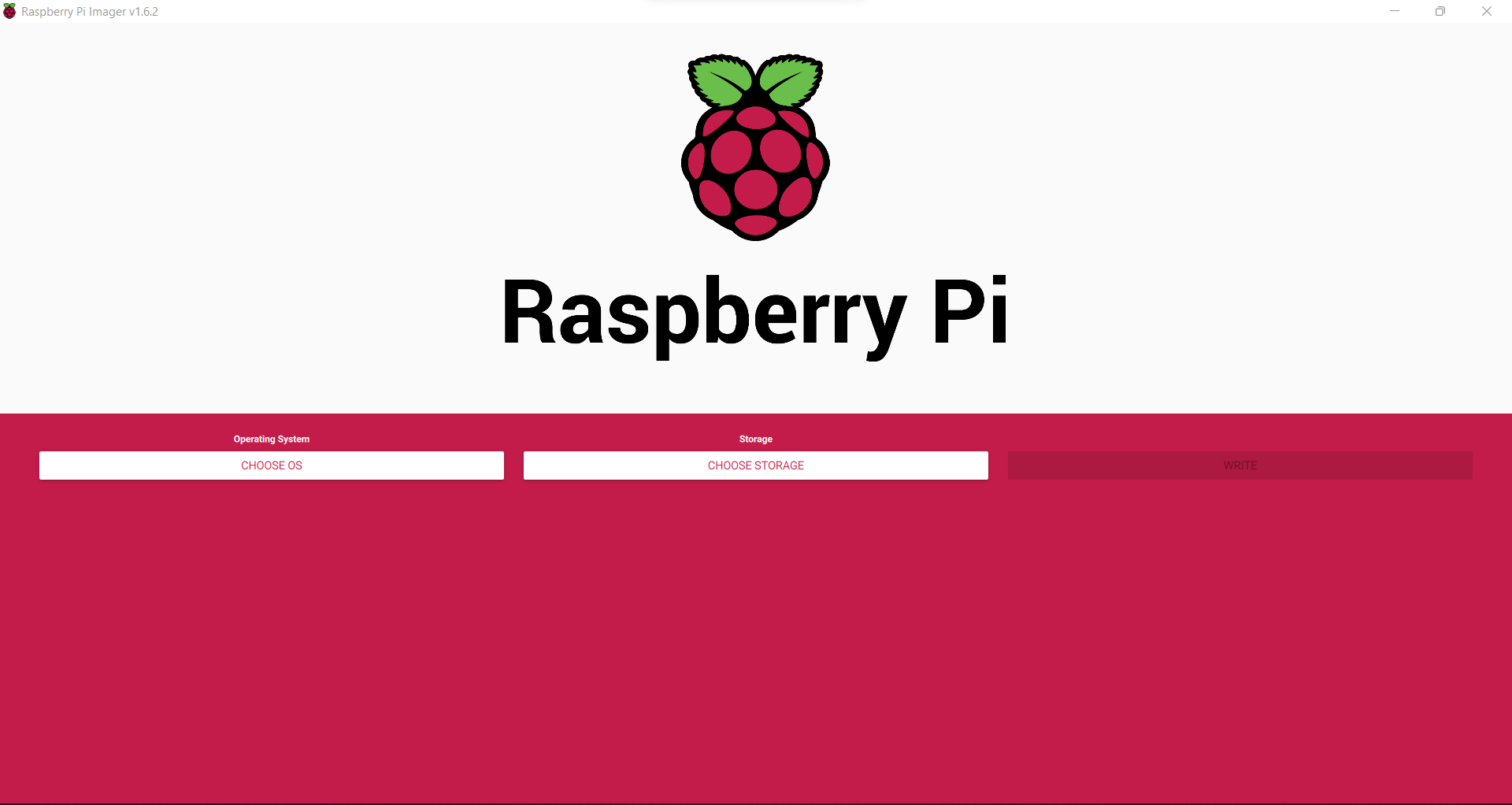
You can use either Balena Etcher or the official Raspberry Pi imager for this task.
Here we are using the official Raspberry Pi imager. You can download the imager from the following URL.
https://www.raspberrypi.com/software/
Here is the download link for Windows machines
https://downloads.raspberrypi.org/imager/imager_1.6.2.exe
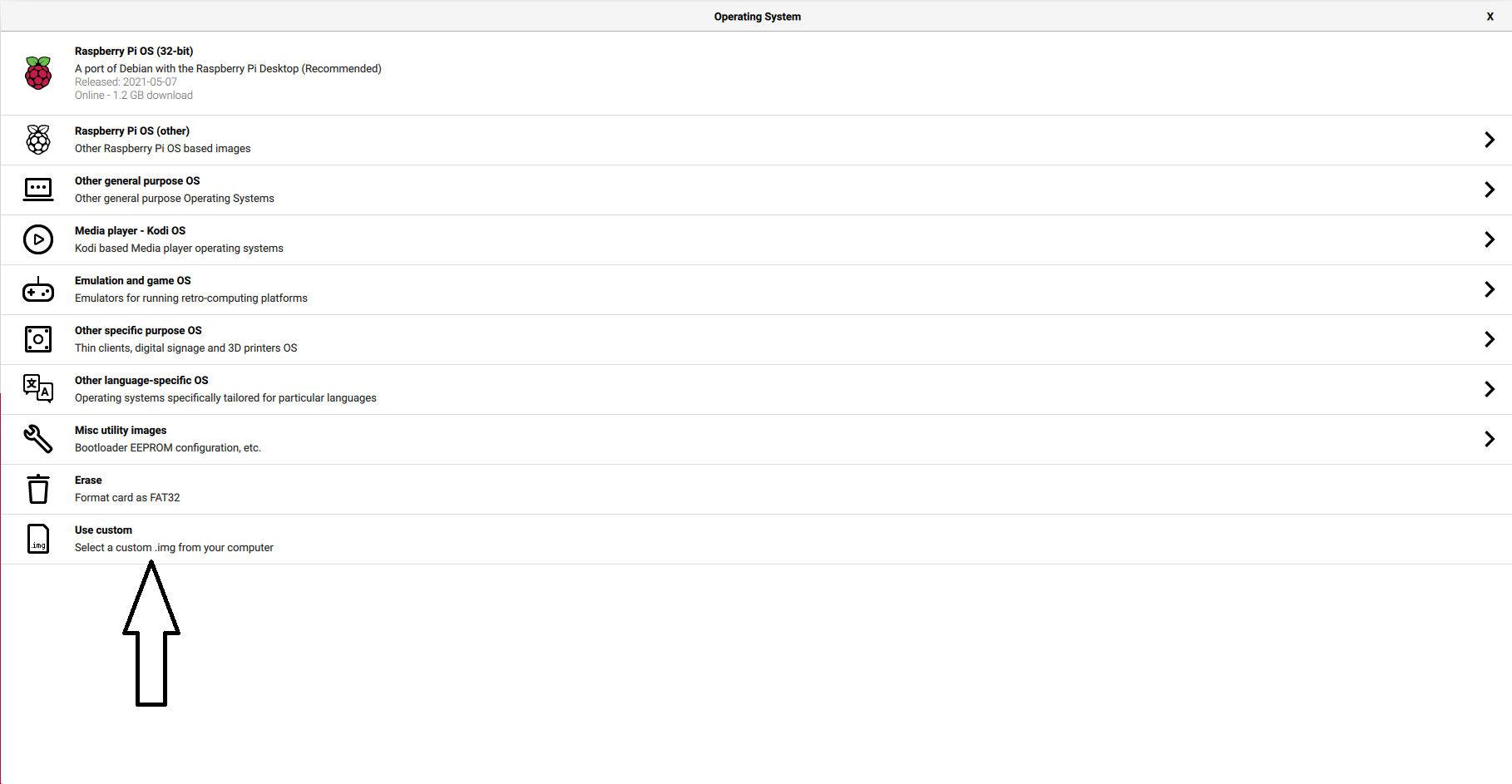
Write Kali-Linux image to the Micro SD-Card. Please follow the following images.
1, Launch the Pi Imager and select Choose OS.
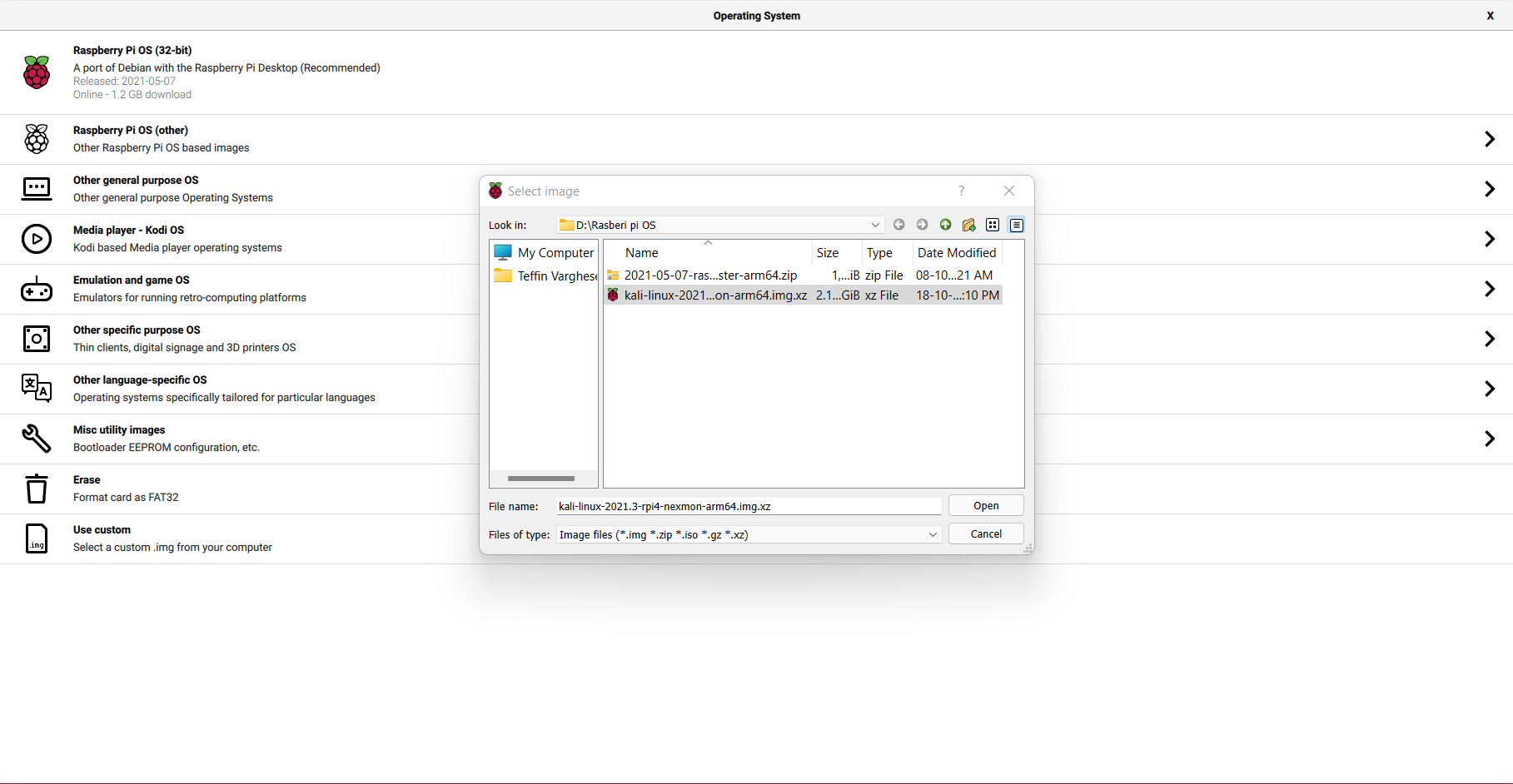
2, Select the option “Use Custome” for our Kali-Linux Image
3, Browse and choose the Kali-Linux Image we have downloaded from our PC.
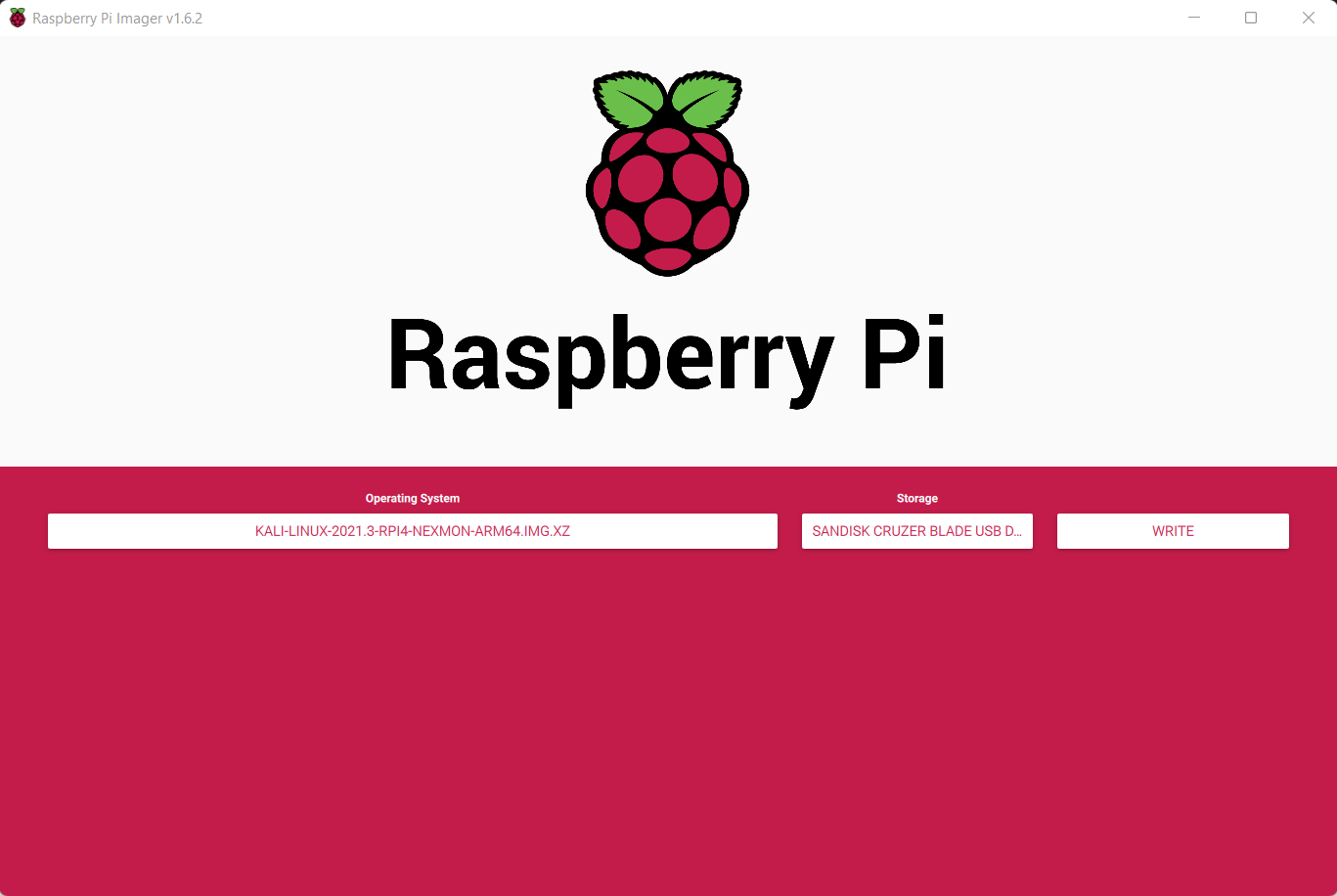
4, Now select storage and choose our micro SD-Card and click write to write the Image.
Note: Please make sure you have selected the correct storage, In our case the SD-Card. If you choose the wrong location the imager will wipe the selected storage location.
- step 5
Insert the Micro SD-card to your Raspberry Pi. Plug in your Raspberry Pi Power-Brick to the device and
connect your Pi to a monitor, also plugin your Mouse and Keyboard as well, Then power-on the power brick.
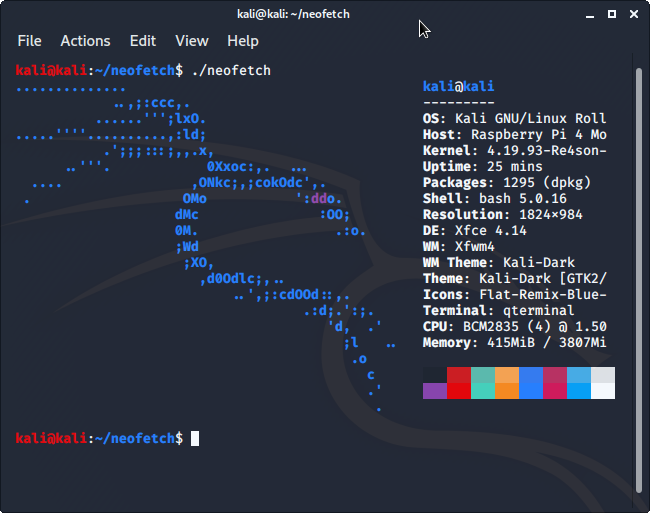
It will take some time for the initial bootup, Wait for it. If everything is perfect your Raspberry Pi will boot into Kali-Linux.
by George Sruthin | Sep 29, 2021 | Howtos, OS, Windows
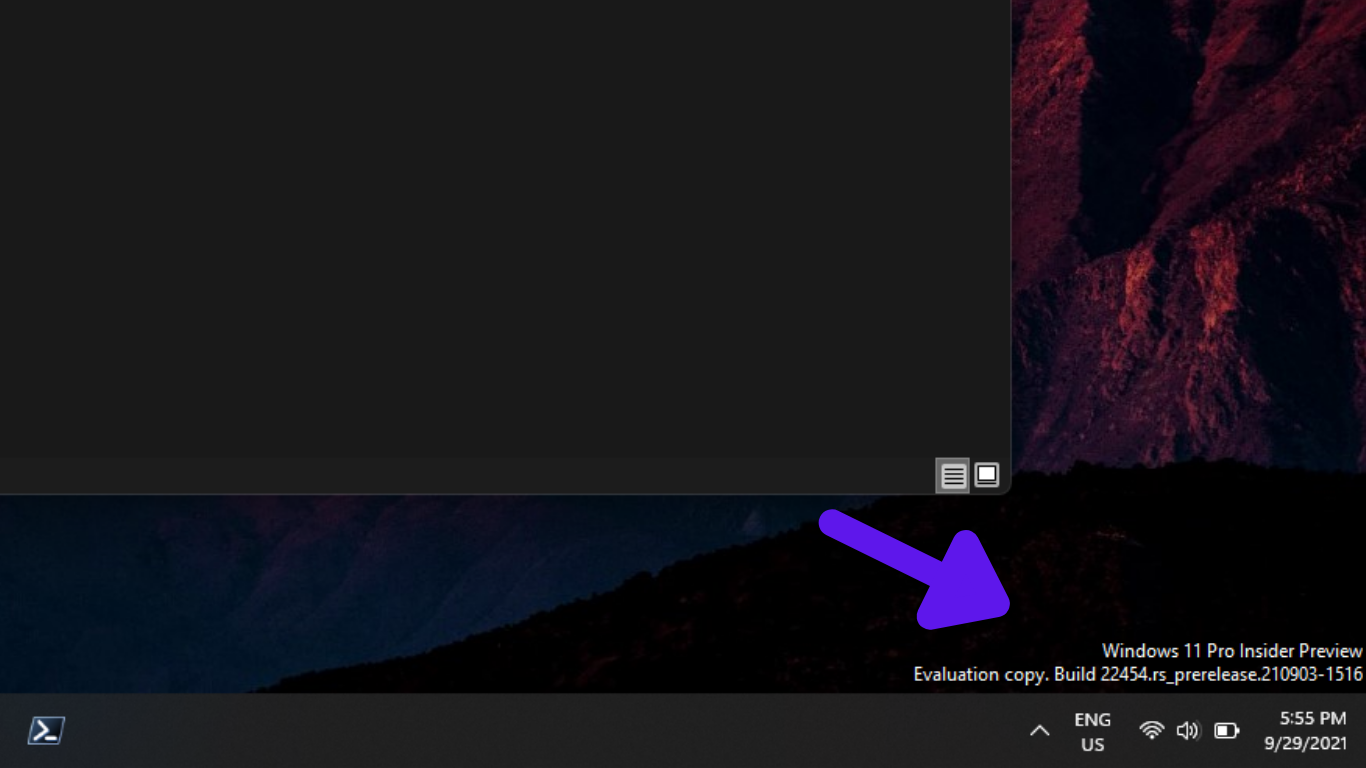
You may have faced this issue in Evaluation versions or Preview releases or OS you are not activated, it's very easy to remove this.
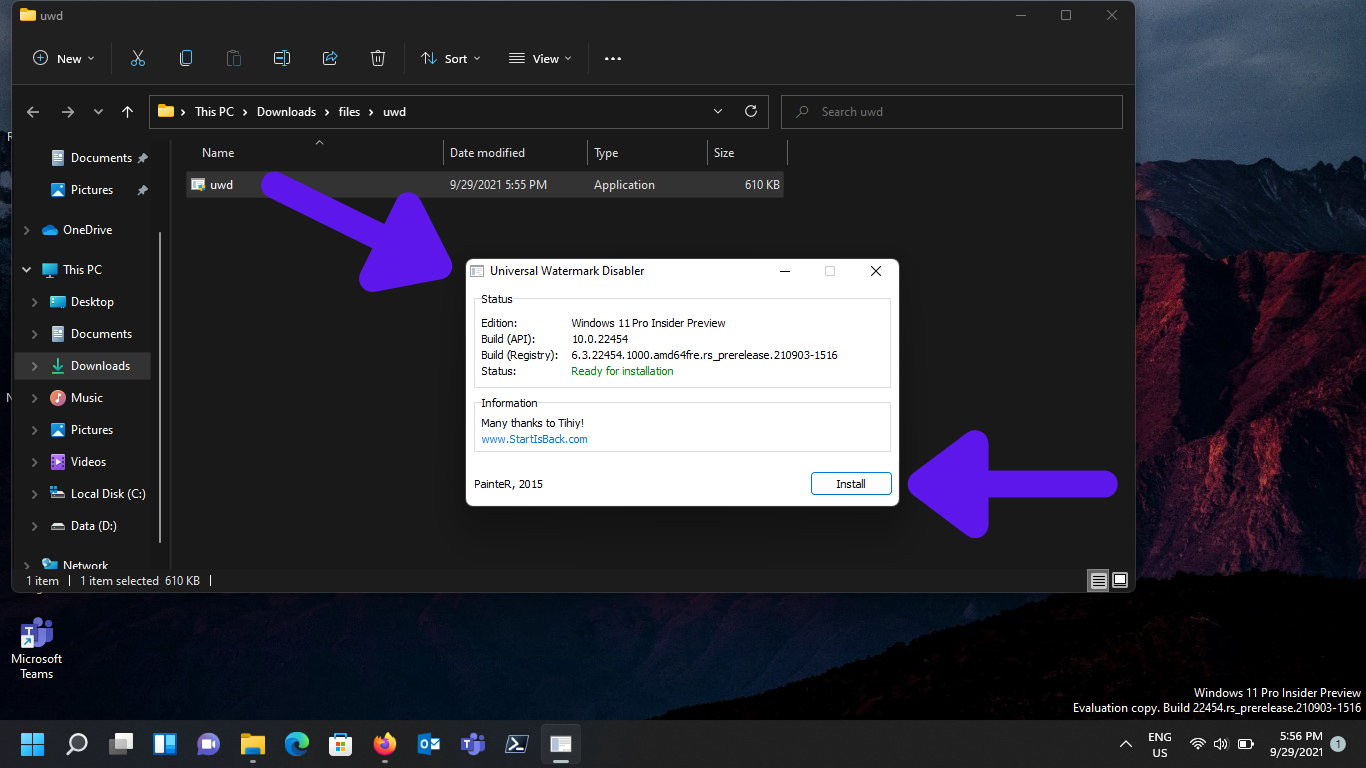
using a free tool you can remove this watermark. It's called Universal Watermark Disabler.
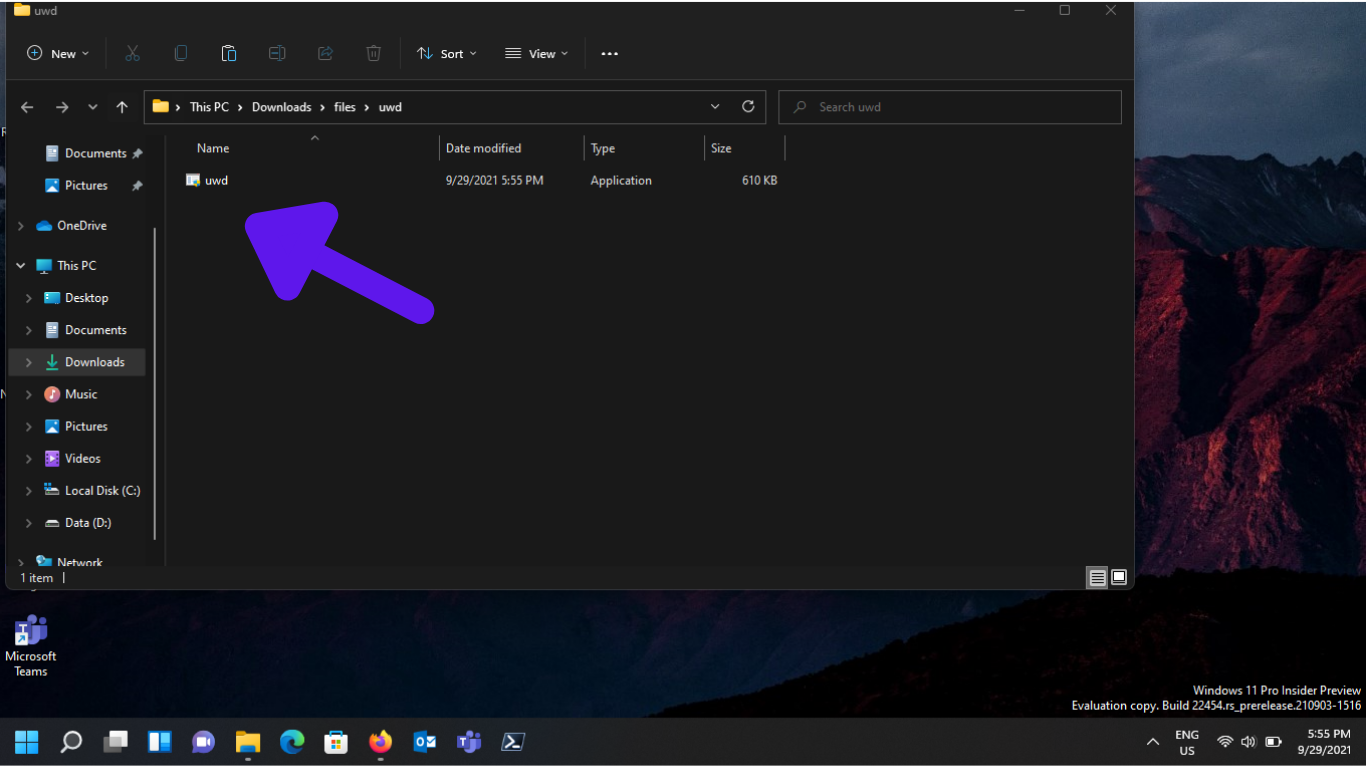
download from above link and extract to a folder
Please uninstall Universal Watermark Disabler before installing the next Windows 11 Insider Build. Else, you might face some crashes or errors. If you update Windows Insider Builds frequently. Or, auto-updates are enabled, then I suggest you not install UWD.
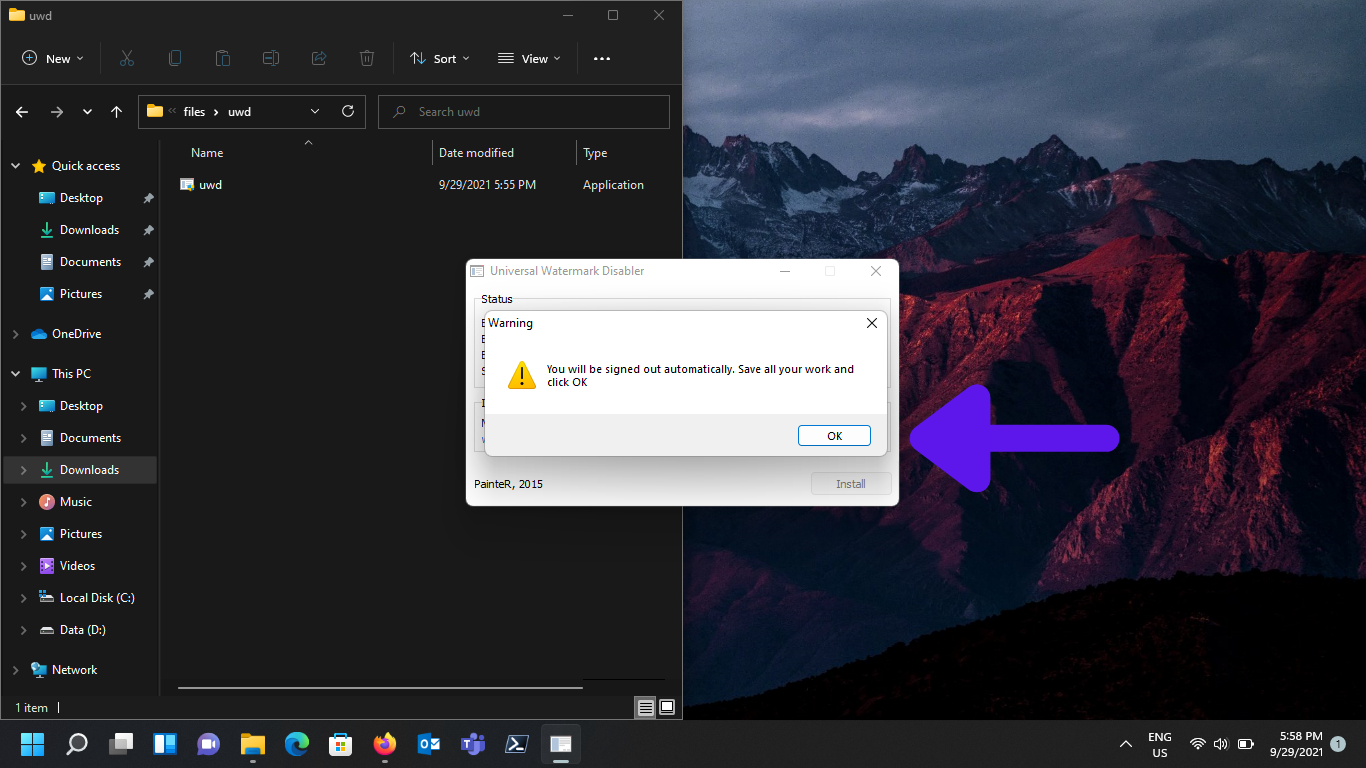
Install application then it will ask you to logout, once you login again you can see water mark disappered.
to uninstall UWD you just need to double click the setup file and click uninstall after logout and login watermark will appear again.
by Teffin Varghese | Jun 28, 2021 | Crypto Currency, Howtos, Mining, News
NIMIQ
Will cryptocurrency replace traditional money?
The question is not if but when. So what does it takes to empower
real mass adoption? Bitcoin set the foundation for solving problems in our current
financial system. It is amazing in many ways, but it is missing one fundamental thing
usability for non-technical everyday people of the masses. So many
choose to compromise and choose to sacrifice the fundamentals set by
bitcoin for the sake of convenience and usability by reintroducing the
middle man.
Nimiq goes the other way, With unmatched usability and unlike bitcoin
no need for a middleman.
Nimiq is an Inuit word for an object or force that binds things together.
So how is this possible.
A blockchain is made out of nodes that connected to broadcast and
validate transactions peer to peer. But to become a peer you need to
run a node this requires hardware, work, and technical knowledge.
This is close to impossible for 99% of us.
So the 99% has to send their transactions with the third party app
to someone from the 1% operating the nodes.
Nimiq introduces true peer to peer connectivity. True because everyone
can participate How? With a node in the browser. Set it up with just a few clicks.
less than 30 sec.
This node only makes it easy and it makes it safe too. Your keys are created and stores
in your devices and your device only. Your keys, Your NIM.
And first time in history, For the first time in history everyone can participate
a payment system independent of third parties and with ease of use.

Nimiq is evolving to 2.0 with unique proof of stake algorithm that will skyrocket the network
performance and reduce energy consumption to a minimum.
NIMIQ MINING

There are many ways to mine Nimiq for now
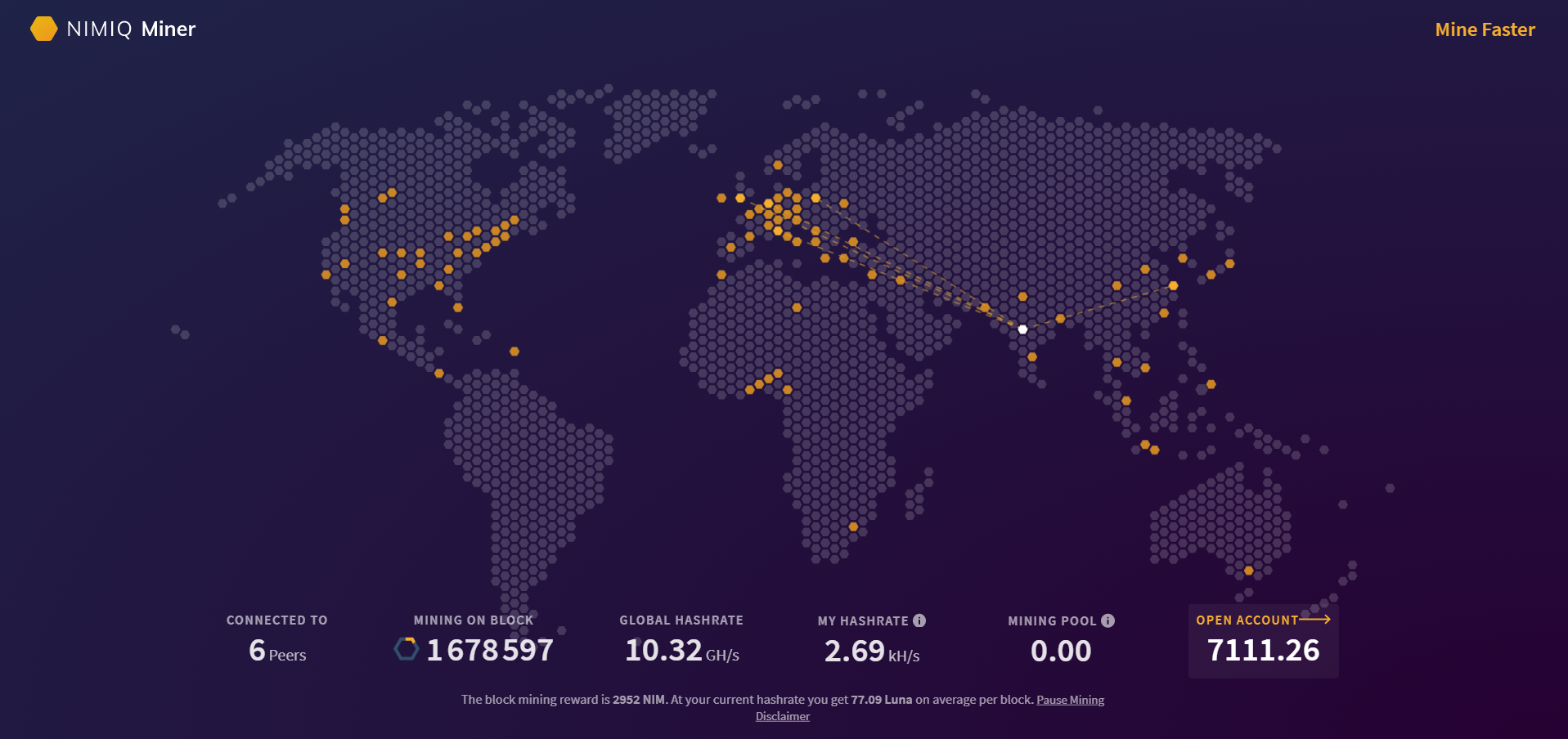
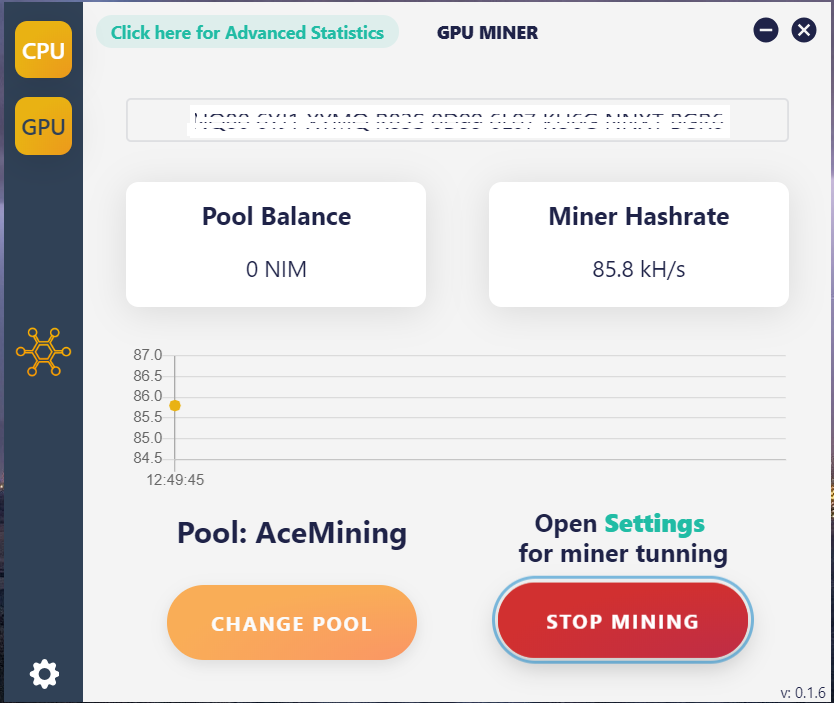
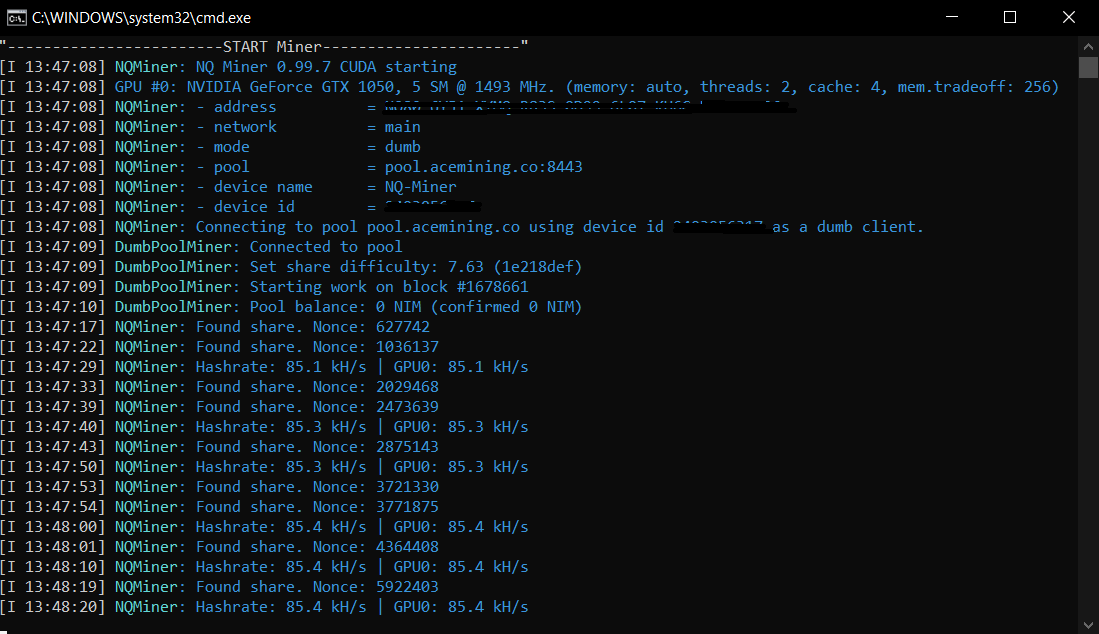
The mining instructions are mentioned on the above URLs.
You can also buy NIM tokens from Crypto exchanges like Kucoin https://www.kucoin.com/ucenter/signup?rcode=rJKUK7S
Go to https://www.nimiq.com/ and create an account it’s that simple.
No download, No personal data, and less than 30 seconds.
Try now and join the future of money.
by Teffin Varghese | Jun 8, 2021 | Crypto Currency, Howtos
Chia is a cryptocurrency using a block chain technology.and it uses what is called a proof of space and work consensus mechanism. In short to farm anything using proof of space and work you need to be able to holds large amount of data and then be able to provide that data to prove that you actually held it for example there might be one million terabytes of data on the network and the protocol might be asking you for around 200 bits at a certain location on your hard drive well if you can provide what it originally gave you it will reward you for allowing it to store data in space on your hard-drive and for for the work that you did to put it there. Winning is like playing bingo you fill up your bingo card with the different letters and then the network randomly
chooses which parts get called and if you get called and you can prove that you held the information that the network originally gave you then you win bingo.
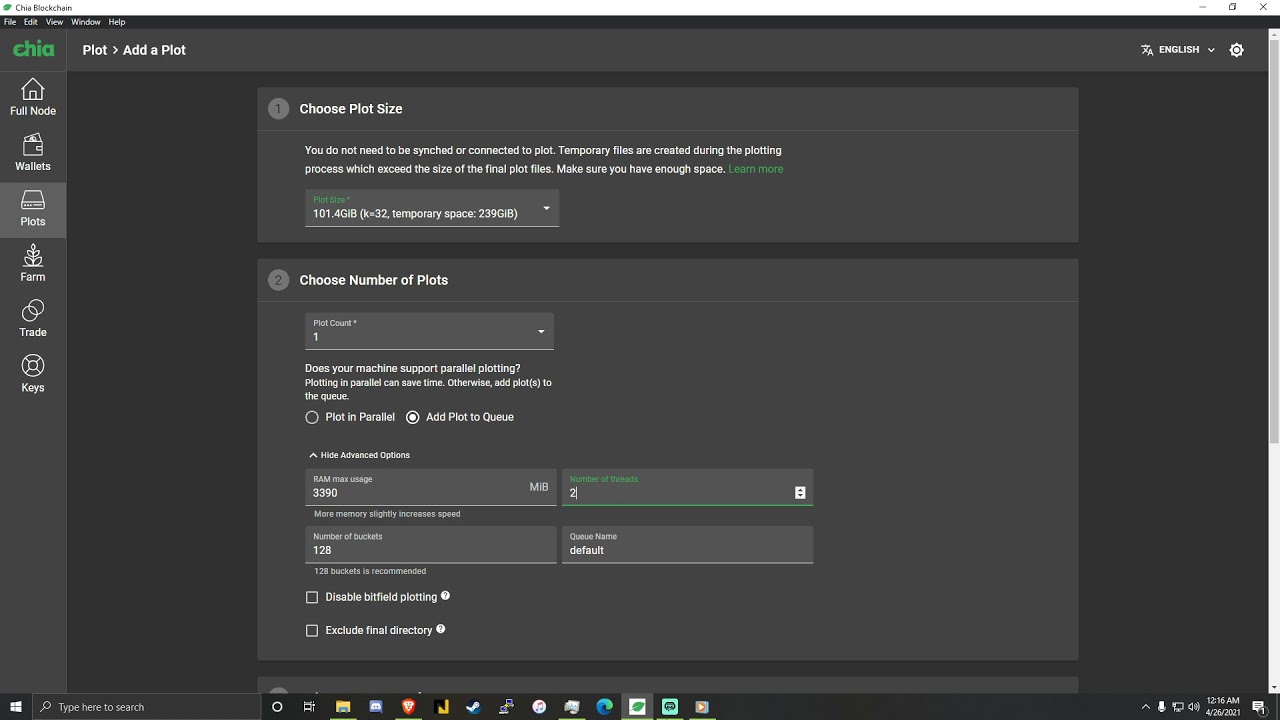
So when it comes to Chia there are two main processes the first is Plotting and the second is Farming.
Plotting is essentially putting the data on a storage device that you own and farming is checking that you still have it on that storage device.
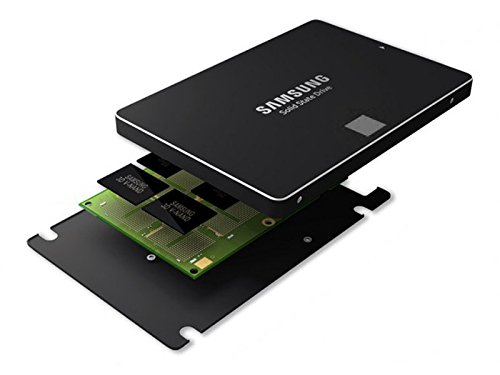
SSDs (Solid State Drives)
So before we continue you need to know two key terms SSD this is an acronym that stands for solid state drive and this is a form of a storage device that can read and write quickly it is one of the fastest and affordable ways to read and write data, although there is a limit to these until they no longer work next up the acronym HDD stands for hard drive disk. this is a form of storage device that can read and write quit slowly but it is reliable affordable and has been used for years you can store more data on a HDD than you can on an HDD for the same price.
Moving forward lets go over what is Plotting is. Plotting is a process of putting a bunch of data on a hard-drive essentially you were doing a ton of math and filling up a bunch of ones and zeros on a hard-drive during this calculation process you could you a hard-drive disk but it would be very inefficient and technically you could uses USB thumb drive but it will be very slow and unreliable for this process most people use an SSD because as it will create the finalized plots the fastest Plotting is very intensive on SSDs though in fact some people are plotting so much that it completely wears out.
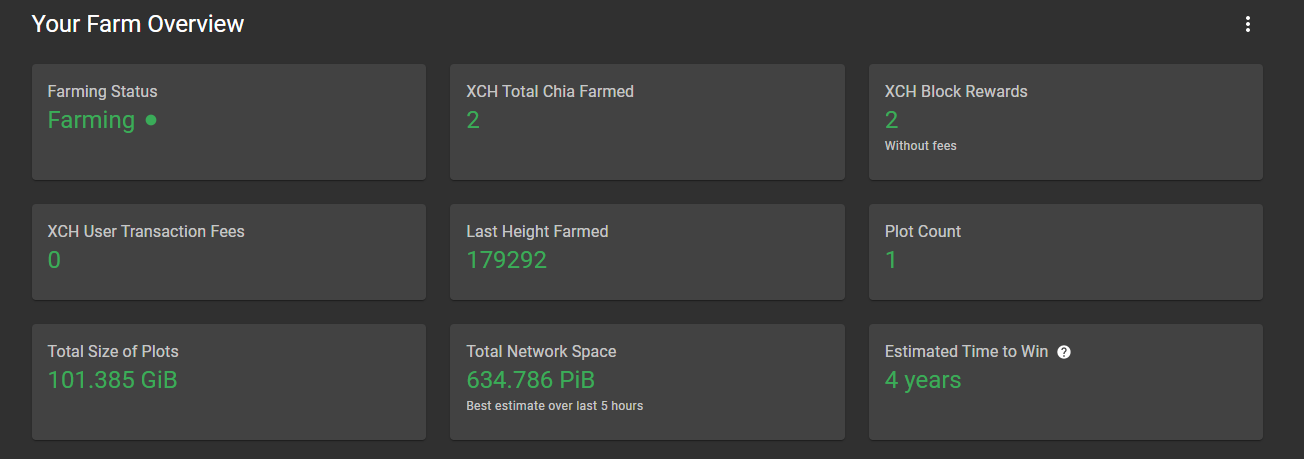
Farming, Farming is the process of having the network that you actually check you did the work to store the ones and zeros on those drives. So using and algorithm the entire chia network will randomly pick a part of a network and check if they still have the data that it decided to give them and if it is it will reward whoever kept that data there with some chia.
But now you probably thinks that why should I do all the work and burn my HDD's and SSD's.
Well right now in early may of 2021 farming chia is crazy profitable with current calculations an 8 TB hard-drive which costs roughly around $200 on amazon can earn roughly 0.73 chia a month. and if you are wondering the network size is 2.9 EiB now if you sold those chia at today's market price
you would earn $809 per month (Change according to the market price) as the network grows and more people join it this profit rate will go down and you also have to include the fact that the price of Chia may rise or plummet.
You can find the complete details regarding how to plot and farm Chia from the URL https://github.com/Chia-Network/chia-blockchain