by Teffin Varghese | Oct 31, 2021 | Hosting, Howtos, Linux, Networking, OS, Review, Security, Servers, Troubleshooting, Unix, VPN, VPS, Vulnerability, Workstation
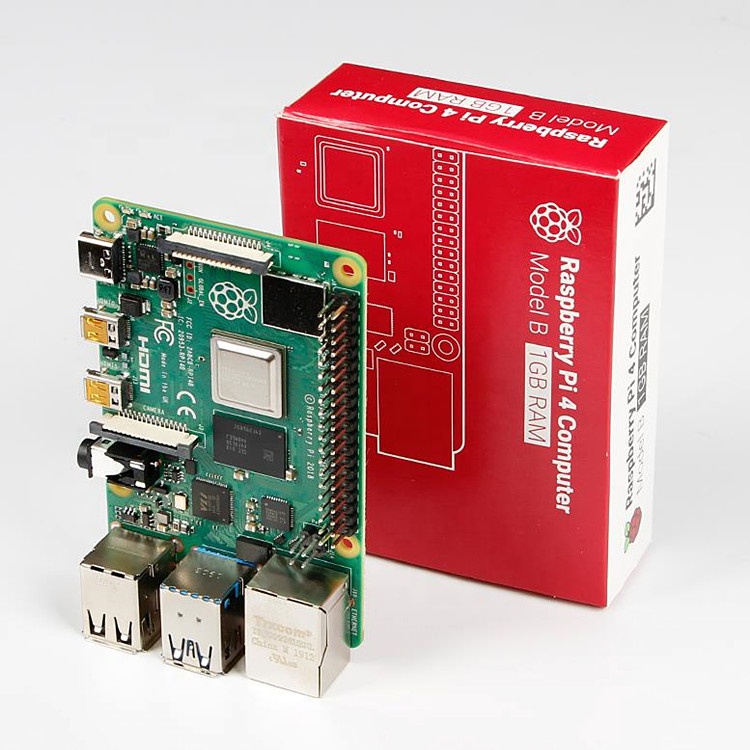
For the 64-Bit OS support we need to use Raspberry Pi 4
I’m using Raspberry Pi 4 Model-B With * Gigs of RAM, A 4GB RAM model would work just fine.
But First what is Raspberry Pi and what is it used for ?
he Raspberry Pi is a low cost, credit-card sized computer that plugs into a computer monitor or TV, and uses a standard keyboard and mouse.
It is a capable little device that enables people of all ages to explore computing, and to learn how to program in languages like Scratch and Python.
It’s capable of doing everything you’d expect a desktop computer to do, from browsing the internet and playing high-definition video, to making spreadsheets, word-processing, and playing games.
What’s more, the Raspberry Pi has the ability to interact with the outside world, and has been used in a wide array of digital maker projects, from music machines and parent detectors to weather stations and tweeting birdhouses with infra-red cameras.
We want to see the Raspberry Pi being used by kids all over the world to learn to program and understand how computers work.
Assemble and enclose the Raspberry Pi, We recommend a case with passive cooling or with a small fan and heat-sinks.
Yes of course you can the Pi without any case or cooling setup, But we recommend to use a cooling case for protection and better performance.
Download Kali-Linux Image from the official website.
You can get the download link from the below URL.
You need to select ARM image category, then choose the Raspberry Pi 64-bit Image.
Now you need to write this image to a Micro SD card, Which you are going to use it on your Raspberry Pi.
You can use either Balena Etcher or the official Raspberry Pi imager for this task.
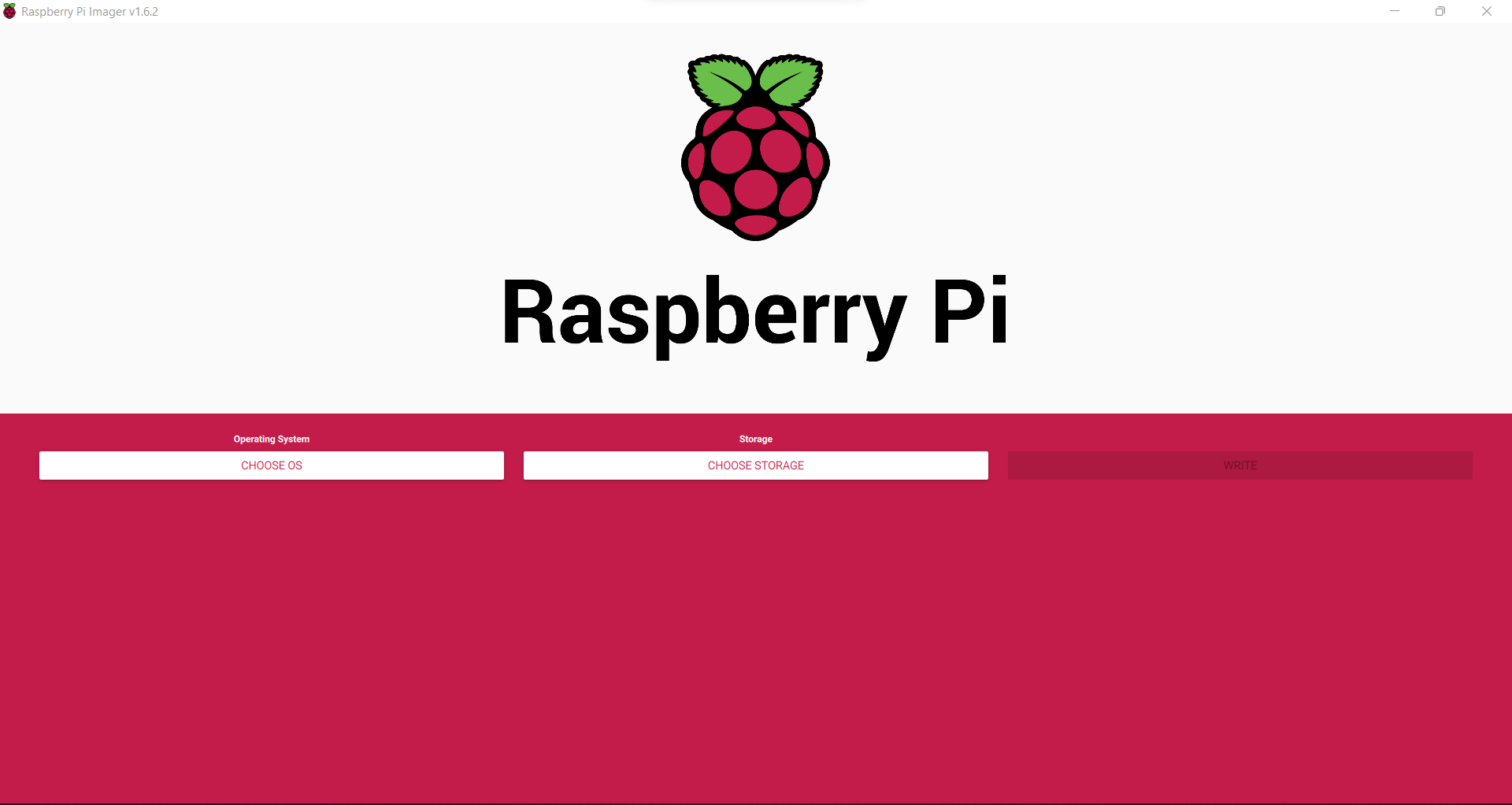
Here we are using the official Raspberry Pi imager. You can download the imager from the following URL.
https://www.raspberrypi.com/software/
Here is the download link for Windows machines
https://downloads.raspberrypi.org/imager/imager_1.6.2.exe
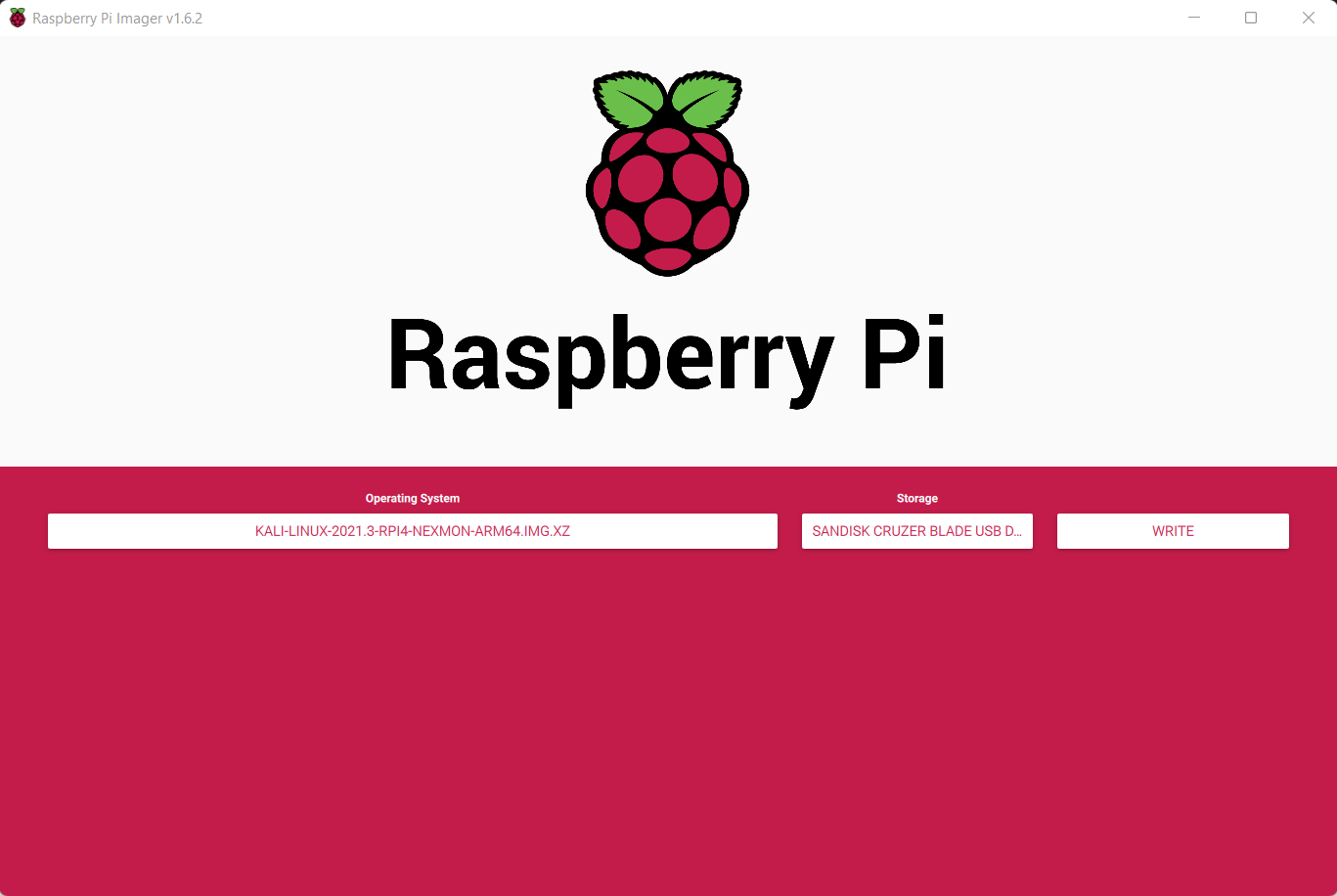
Write Kali-Linux image to the Micro SD-Card. Please follow the following images.
1, Launch the Pi Imager and select Choose OS.
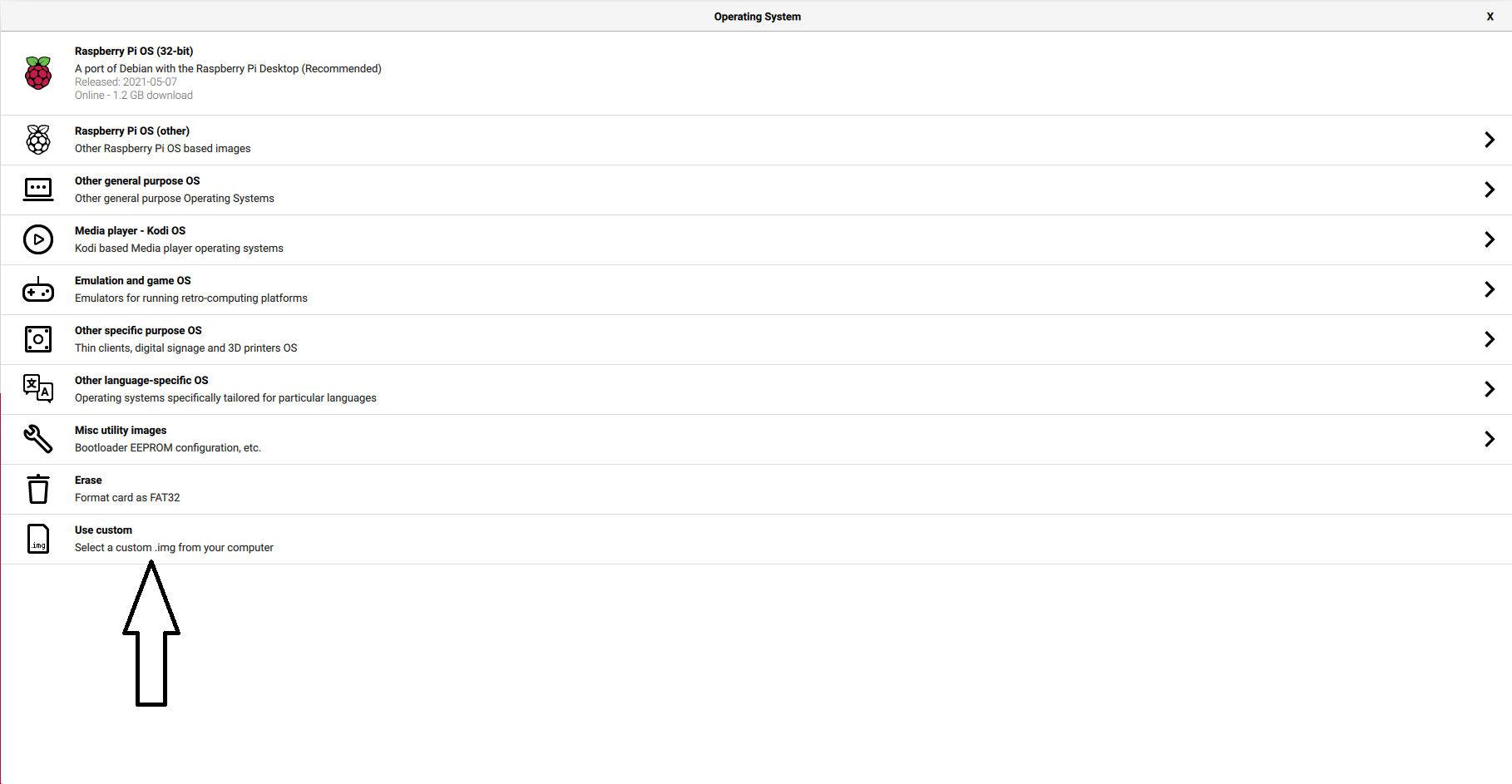
2, Select the option “Use Custome” for our Kali-Linux Image
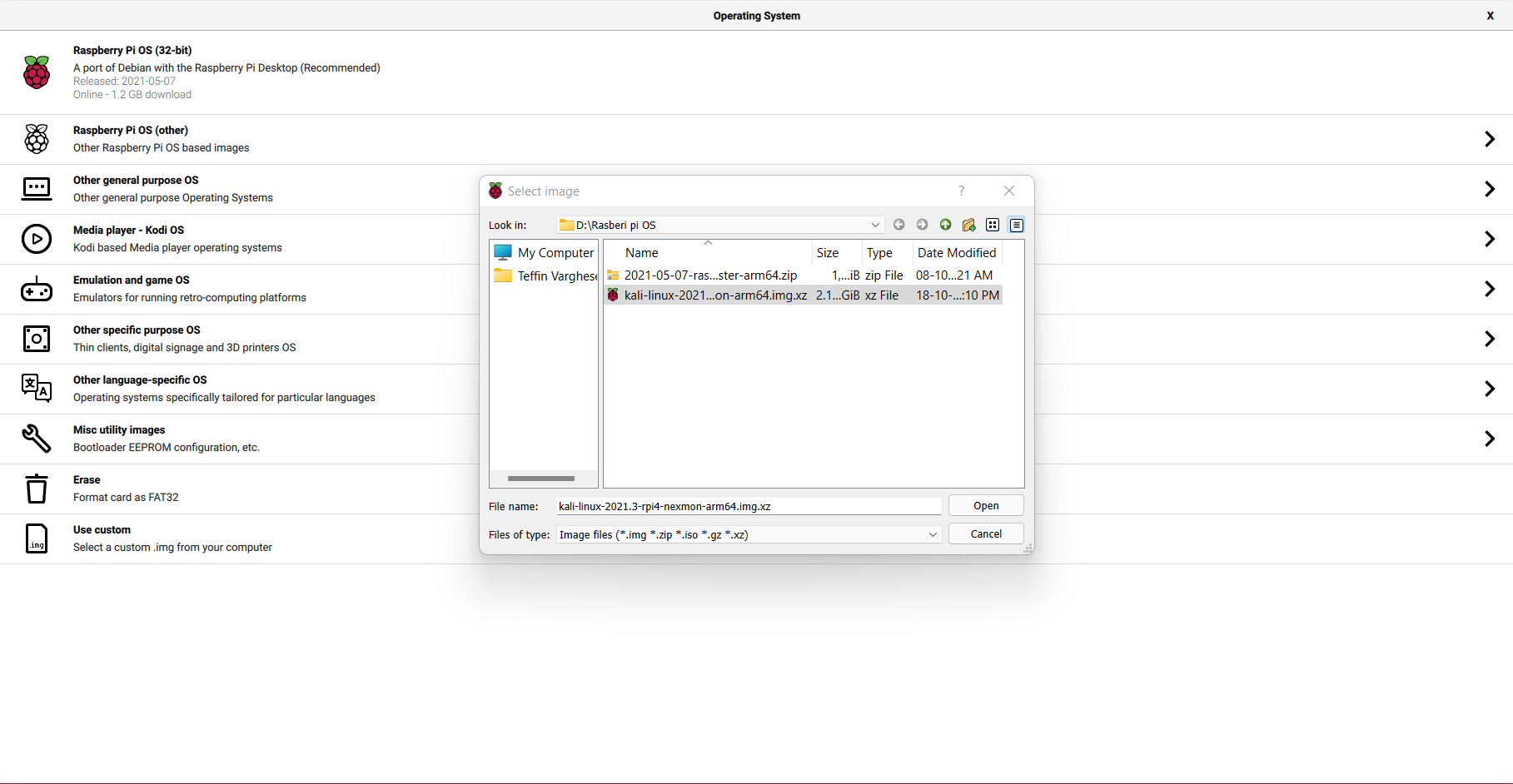
3, Browse and choose the Kali-Linux Image we have downloaded from our PC.
4, Now select storage and choose our micro SD-Card and click write to write the Image.
Note: Please make sure you have selected the correct storage, In our case the SD-Card. If you choose the wrong location the imager will wipe the selected storage location.
- step 5
Insert the Micro SD-card to your Raspberry Pi. Plug in your Raspberry Pi Power-Brick to the device and
connect your Pi to a monitor, also plugin your Mouse and Keyboard as well, Then power-on the power brick.
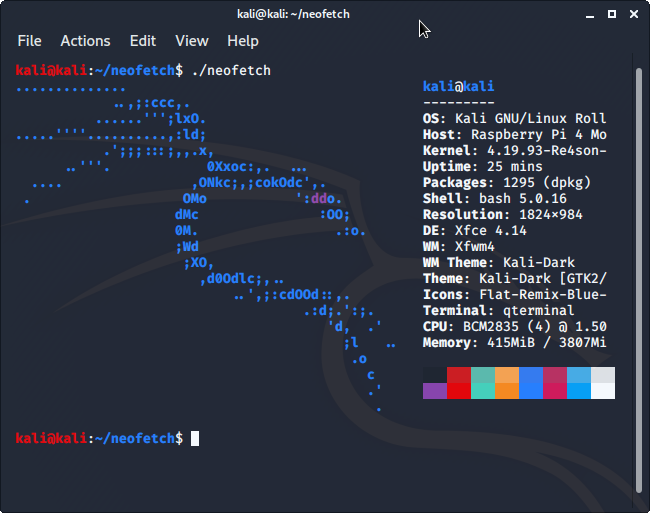
It will take some time for the initial bootup, Wait for it. If everything is perfect your Raspberry Pi will boot into Kali-Linux.
by Teffin Varghese | Jun 28, 2021 | Crypto Currency, Howtos, Mining, News
NIMIQ
Will cryptocurrency replace traditional money?
The question is not if but when. So what does it takes to empower
real mass adoption? Bitcoin set the foundation for solving problems in our current
financial system. It is amazing in many ways, but it is missing one fundamental thing
usability for non-technical everyday people of the masses. So many
choose to compromise and choose to sacrifice the fundamentals set by
bitcoin for the sake of convenience and usability by reintroducing the
middle man.
Nimiq goes the other way, With unmatched usability and unlike bitcoin
no need for a middleman.
Nimiq is an Inuit word for an object or force that binds things together.
So how is this possible.
A blockchain is made out of nodes that connected to broadcast and
validate transactions peer to peer. But to become a peer you need to
run a node this requires hardware, work, and technical knowledge.
This is close to impossible for 99% of us.
So the 99% has to send their transactions with the third party app
to someone from the 1% operating the nodes.
Nimiq introduces true peer to peer connectivity. True because everyone
can participate How? With a node in the browser. Set it up with just a few clicks.
less than 30 sec.
This node only makes it easy and it makes it safe too. Your keys are created and stores
in your devices and your device only. Your keys, Your NIM.
And first time in history, For the first time in history everyone can participate
a payment system independent of third parties and with ease of use.

Nimiq is evolving to 2.0 with unique proof of stake algorithm that will skyrocket the network
performance and reduce energy consumption to a minimum.
NIMIQ MINING
There are many ways to mine Nimiq for now
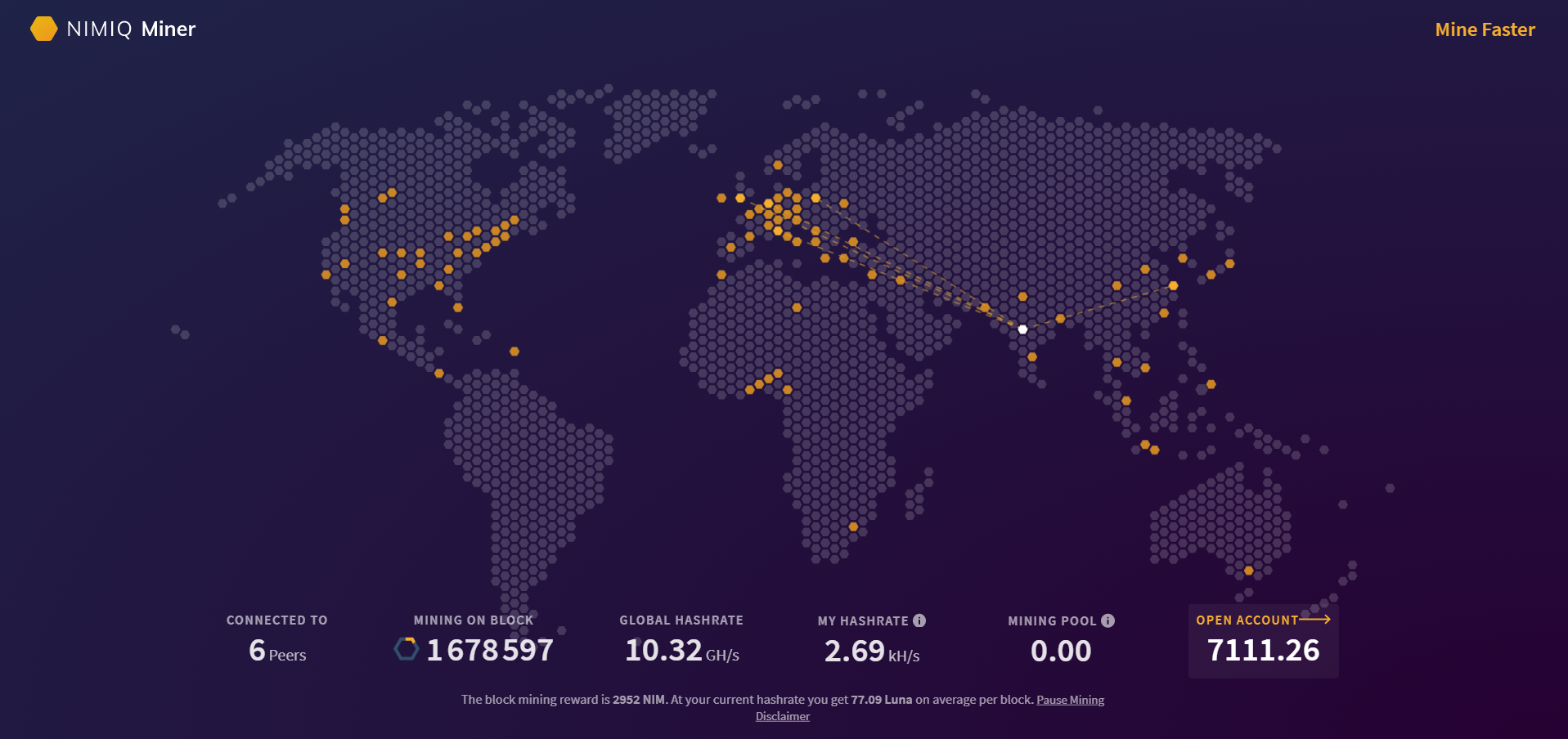
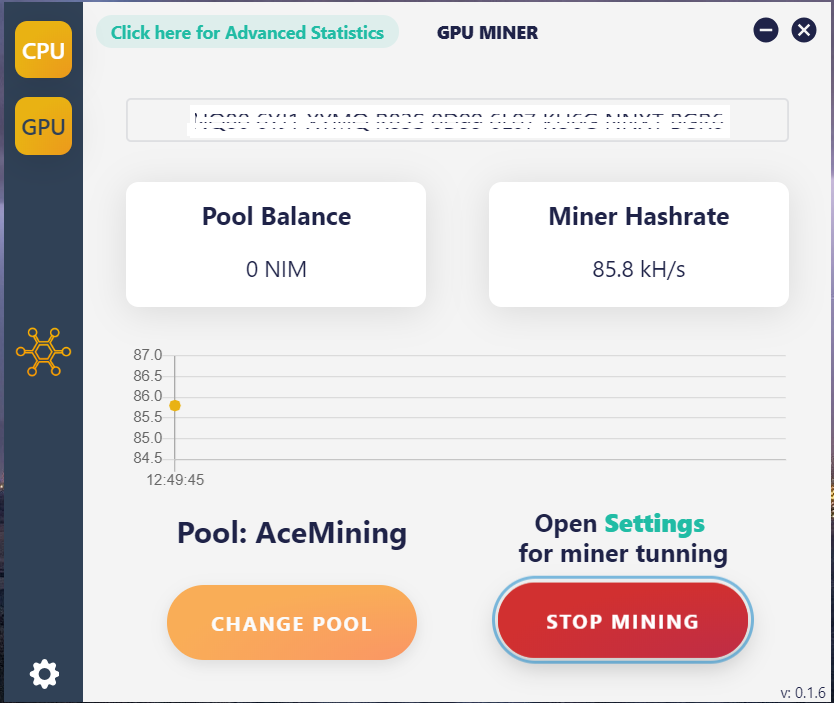
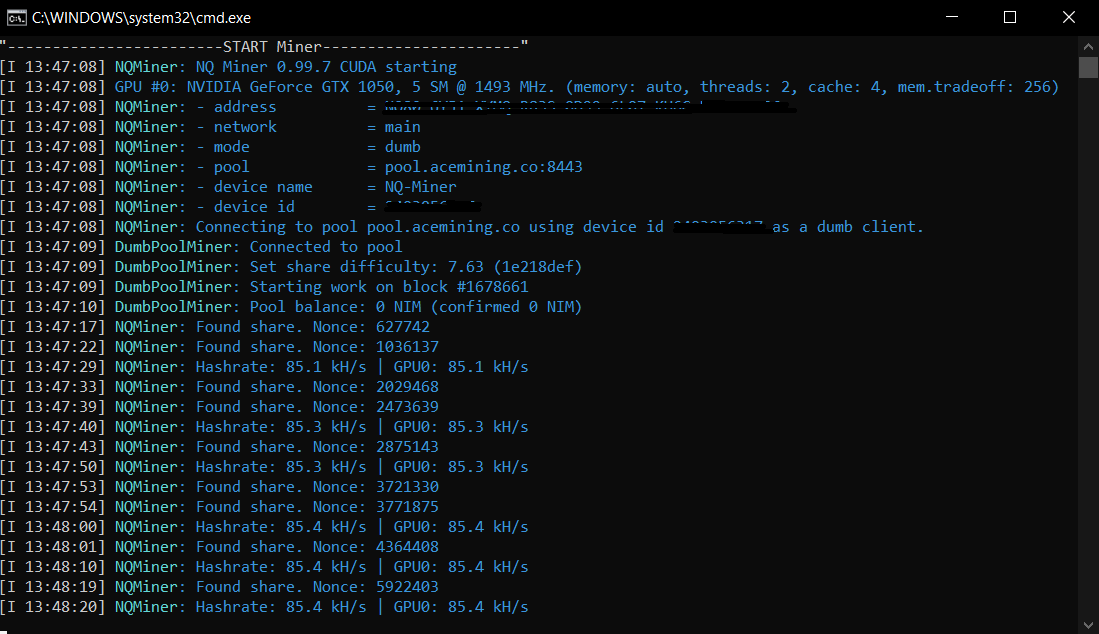
The mining instructions are mentioned on the above URLs.
You can also buy NIM tokens from Crypto exchanges like Kucoin https://www.kucoin.com/ucenter/signup?rcode=rJKUK7S
Go to https://www.nimiq.com/ and create an account it’s that simple.
No download, No personal data, and less than 30 seconds.
Try now and join the future of money.
by Teffin Varghese | Jun 8, 2021 | Crypto Currency, Howtos
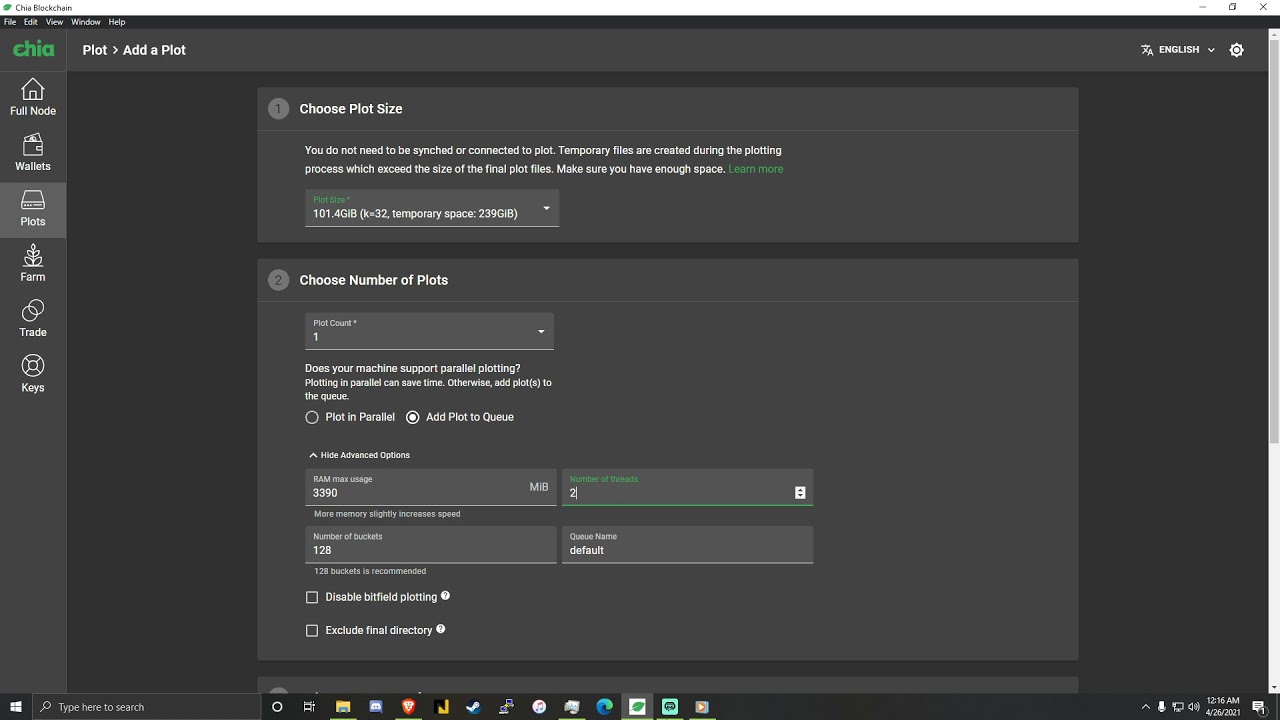
Chia is a cryptocurrency using a block chain technology.and it uses what is called a proof of space and work consensus mechanism. In short to farm anything using proof of space and work you need to be able to holds large amount of data and then be able to provide that data to prove that you actually held it for example there might be one million terabytes of data on the network and the protocol might be asking you for around 200 bits at a certain location on your hard drive well if you can provide what it originally gave you it will reward you for allowing it to store data in space on your hard-drive and for for the work that you did to put it there. Winning is like playing bingo you fill up your bingo card with the different letters and then the network randomly
chooses which parts get called and if you get called and you can prove that you held the information that the network originally gave you then you win bingo.
So when it comes to Chia there are two main processes the first is Plotting and the second is Farming.
Plotting is essentially putting the data on a storage device that you own and farming is checking that you still have it on that storage device.
SSDs (Solid State Drives)
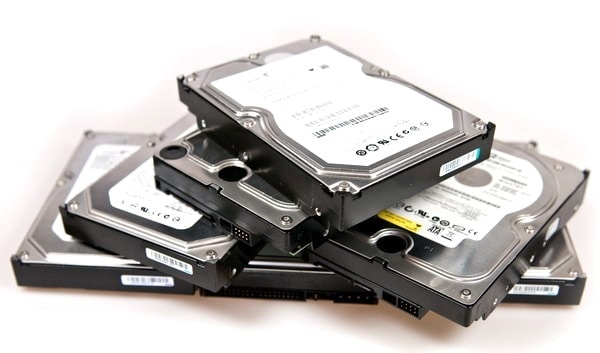
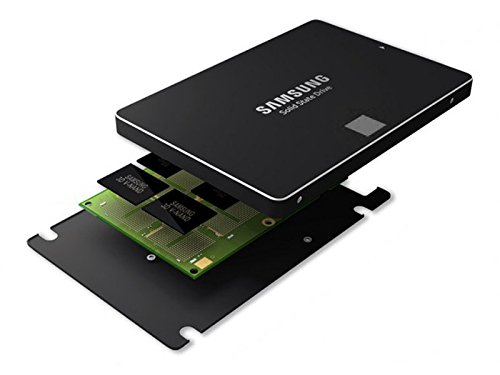
So before we continue you need to know two key terms SSD this is an acronym that stands for solid state drive and this is a form of a storage device that can read and write quickly it is one of the fastest and affordable ways to read and write data, although there is a limit to these until they no longer work next up the acronym HDD stands for hard drive disk. this is a form of storage device that can read and write quit slowly but it is reliable affordable and has been used for years you can store more data on a HDD than you can on an HDD for the same price.
Moving forward lets go over what is Plotting is. Plotting is a process of putting a bunch of data on a hard-drive essentially you were doing a ton of math and filling up a bunch of ones and zeros on a hard-drive during this calculation process you could you a hard-drive disk but it would be very inefficient and technically you could uses USB thumb drive but it will be very slow and unreliable for this process most people use an SSD because as it will create the finalized plots the fastest Plotting is very intensive on SSDs though in fact some people are plotting so much that it completely wears out.
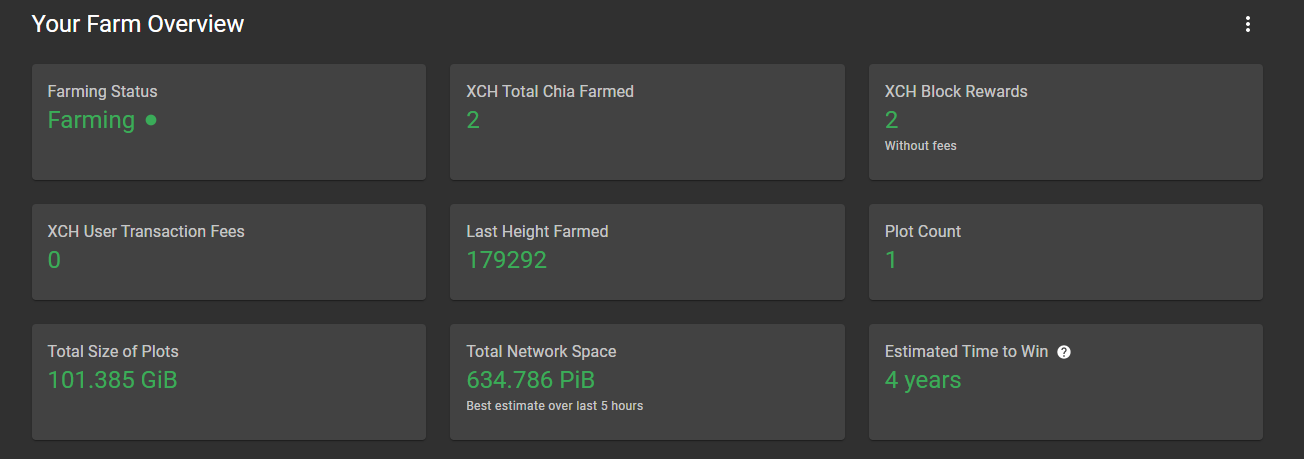
Farming, Farming is the process of having the network that you actually check you did the work to store the ones and zeros on those drives. So using and algorithm the entire chia network will randomly pick a part of a network and check if they still have the data that it decided to give them and if it is it will reward whoever kept that data there with some chia.
But now you probably thinks that why should I do all the work and burn my HDD's and SSD's.
Well right now in early may of 2021 farming chia is crazy profitable with current calculations an 8 TB hard-drive which costs roughly around $200 on amazon can earn roughly 0.73 chia a month. and if you are wondering the network size is 2.9 EiB now if you sold those chia at today's market price
you would earn $809 per month (Change according to the market price) as the network grows and more people join it this profit rate will go down and you also have to include the fact that the price of Chia may rise or plummet.
You can find the complete details regarding how to plot and farm Chia from the URL https://github.com/Chia-Network/chia-blockchain
by Teffin Varghese | Sep 29, 2020 | Hosting, Howtos, Linux, OS, Servers, Troubleshooting, VPS
FreeBSD is an operating system used to power modern servers, desktops, and embedded platforms. A large community has continually developed it for more than thirty years. Its advanced networking, security, and storage features have made FreeBSD the platform of choice for many of the busiest web sites and most pervasive embedded networking and storage devices.
FreeBSD is a free and open-source Unix-like operating system descended from the Berkeley Software Distribution, which was based on Research Unix. The first version of FreeBSD was released in 1993.
Now lets check how can we reset forgotten root password in FreeBSD.
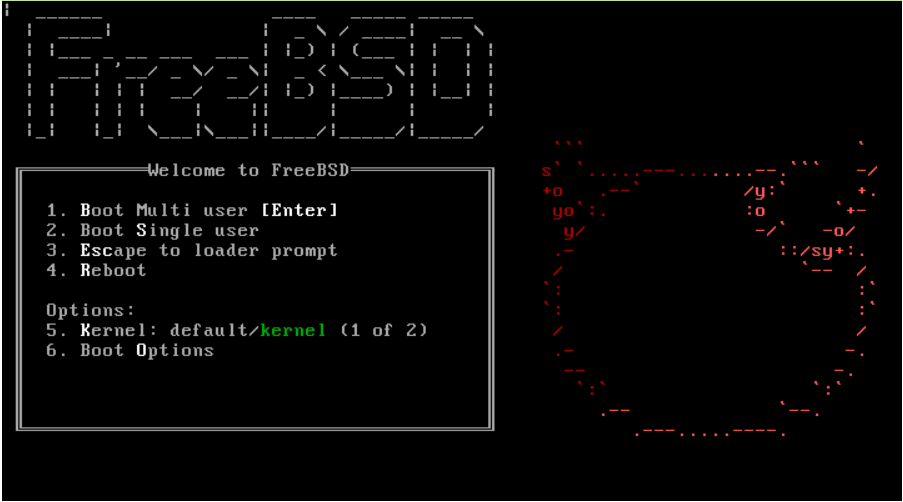
Step #1 : Reboot / Restart the server and boot into Single user mode.
You can press "S" at the boot prompt for entering the Single user mode.
Step #2: Mount the filesystem on the server.
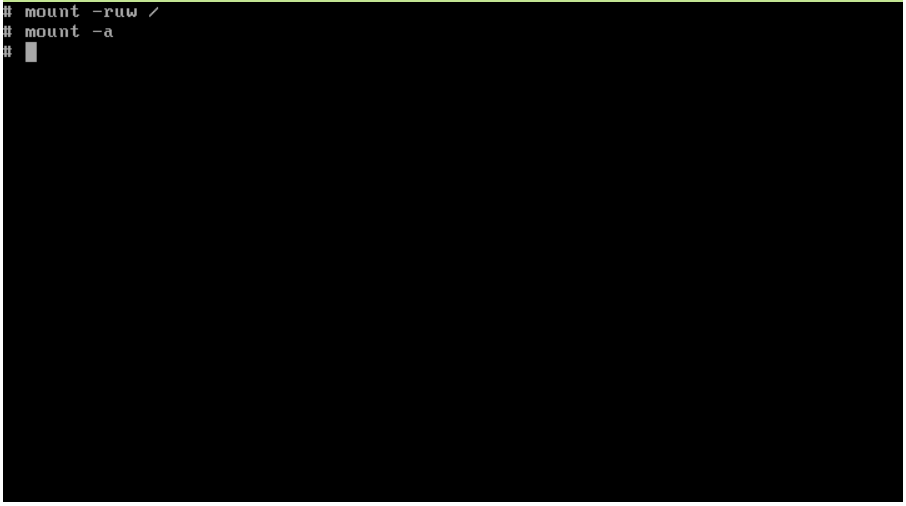
root filesystem will be mounted read-only by default, you will need to remount it using the mount -ruw / command to give yourself read/write access. Run mount -a to remount all filesystems specified in the /etc/fstab file.
Step #3: Reset the root password.
You can reset the root password using the command passwd and set a new password on the server.
Step #4: Reboot the server.
That's it, when the server boots back to the OS you can login with the new password.
Cheers!!!
Please check our recent post about how to reset ubuntu server forgotten password.
by Teffin Varghese | Jul 20, 2020 | Howtos, Linux, Networking, News, OS, Review
NVMe over Fabrics
The performance of storage technology increased 100 times in the last 5 years.
with the introduction if flash based solid state drives SSD’s especially SSD’s connected over NVMe Non volatile memory express is a specification which enables a SSD to take advantage of high speed peripheral component interconnect express PCIe bus in the computer by connecting directly into it.
As the performance of the storage gets faster, the network wire speed and protocols become the bottleneck we can speed up the wires with the latest Ethernet and Inifiniband speeds. But without faster protocol technologies these new SSD’s and NVMe technologies will have their performance locked up inside the server.
NVMe over Fabrics NVMe-oF is an exciting networking storage technology. allowing you to take full advantages of SSD’s performance across ether net or Infiniband networks. NVMe-oF is designed to leverage the performance of NVMe technology across the network using RDMA (remote direct memory access) RDMA enables data in memory to transfer between computers and storage devices across the network with little to no CPU usage.
NVMe over fabrics technology enables.
1, Extremely high bandwidth.
2, Low fabric latency.
3, Scalability, management and storage fault isolation.
4, Better utilization of the storage, rack-space and power.
5, Sharing storage across multiple servers.
6, Compute and storage can be disconnected from each other or dis-aggregated.
NVMe-oF is the perfect technology to fill the recent performance gap between storage and storage network technology
Cheers!!!