by George Sruthin | Dec 13, 2014 | Howtos, Linux
How to fix Virtual Device error in Skype in linux
all audio devices detects as “Virtual Device”
in this case my Skype Version is 4.3.0.37
4.2 version also have this issue
this is occur because your system don’t have libpulse0:i386 package ! all you need is to install the package to fix the issue
now open up your terminal , type following command line
sudo apt-get install libpulse0:i386
type your password and press enter
press y and press enter to begin installation of package
after installation , quit Skype and relaunch ,
go to Skype ==Options ==Sound Devices == and check , now you can find PulseAudio detects
Check your Skype with Sound Test Service
go to Skype ==Options ==Sound Devices ==Make a test call
by George Sruthin | Nov 30, 2014 | Howtos, OS, Servers, Troubleshooting, Windows
Enabling .Net Framework 3.5 in Windows Server 2012 using Command prompt
You need
- Media of Windows Server 2012
insert your media in your dvd drive or mound it via iLo or pendrive
please not your drive letter which is assigned to that media
now open up your command prompt
press windows key and R key same time now run windows will appear , now type CMD then press enter
this will open your command prompt
now mound your drive letter
in this case my drive letter is ” D “
so i need to type D: in the command prompt
now type following command
dism /online /enable-feature /featurename:NetFx3 /All /Source:d:/sources/sxs
Note* in command line letter d may vary
now wait for some time
done !
lets check on server manager
restart your server
by George Sruthin | Nov 20, 2014 | OS, Windows
What is PowerShell
PowerShell is an object-oriented programming language and interactive command line shell for Microsoft Windows.
PowerShell was designed to automate system tasks, such as batch processing, and create systems management tools for commonly implemented processes. The PowerShell language is similar to Perl. PowerShell includes more than 130 standard command line tools for functions that formerly required users to create scripts in VB, VBScript or C#.
by George Sruthin | Oct 28, 2014 | Howtos, Mac, OS
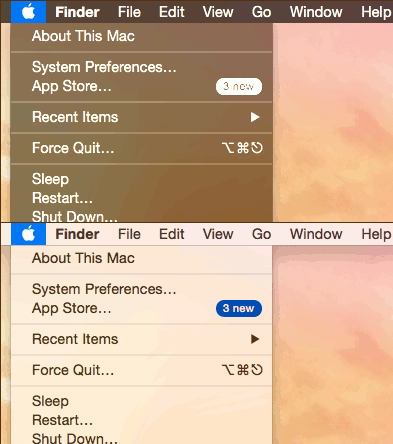
How to Enable and toggle Darkmode in Mac OS X 10.10 Yosemite using keyboard shortcut
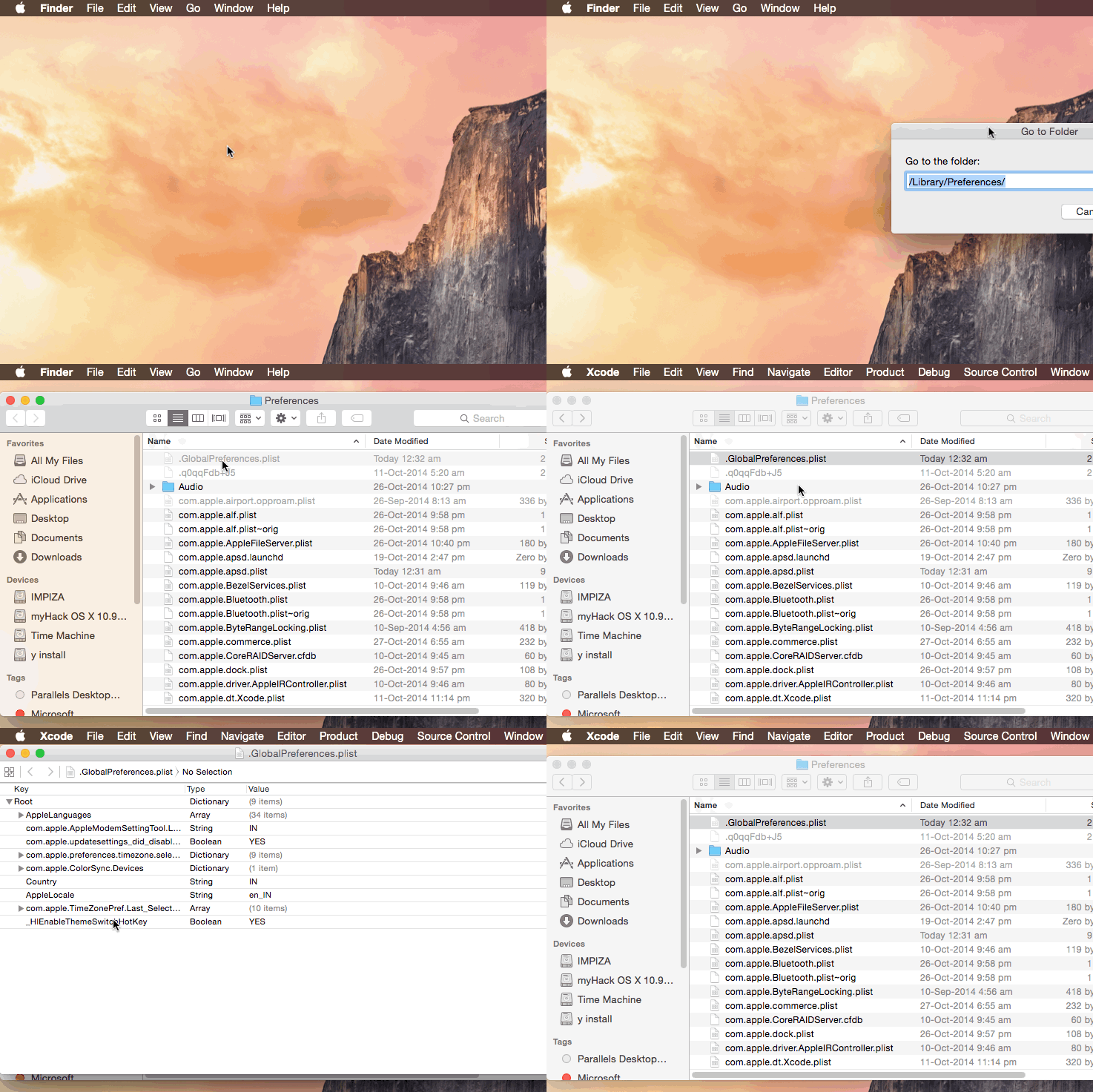
This can be done by editing .GlobalPreferences.plist in /Library/Preferences/
.GlobalPreferences.plist will be hidden , if you want to access file use apps like InVisibles.app
original site is here
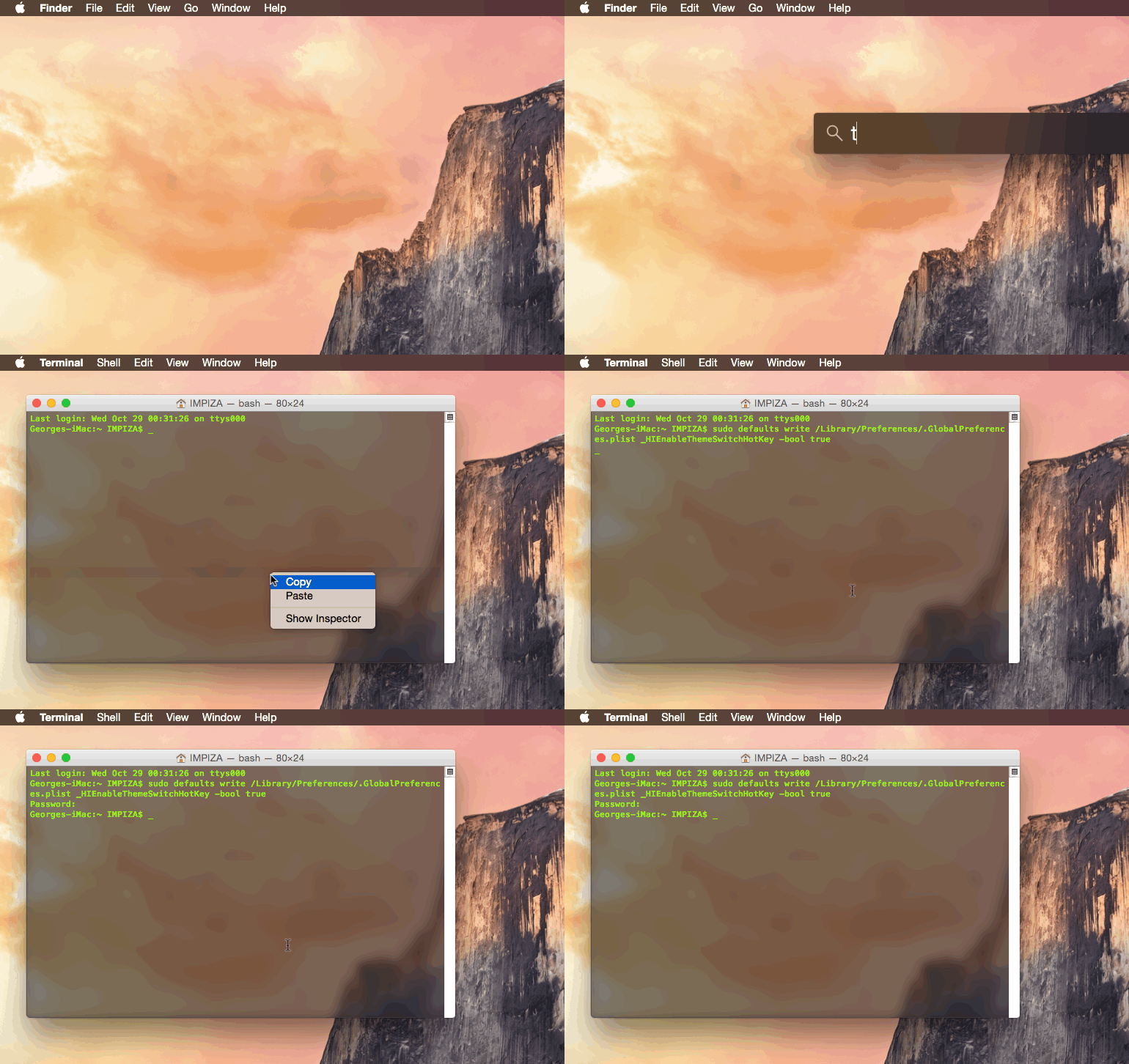
Open up Terminal then paste the following command line and hit Enter “Return Key”
it will ask for your admin password , enter your password and hit Return key
done
sudo defaults write /Library/Preferences/.GlobalPreferences.plist _HIEnableThemeSwitchHotKey -bool true
you can confirm it by opening .GlobalPreferences.plist from /Library/Preferences/
now logout your Mac(Hackint0sh) and re login
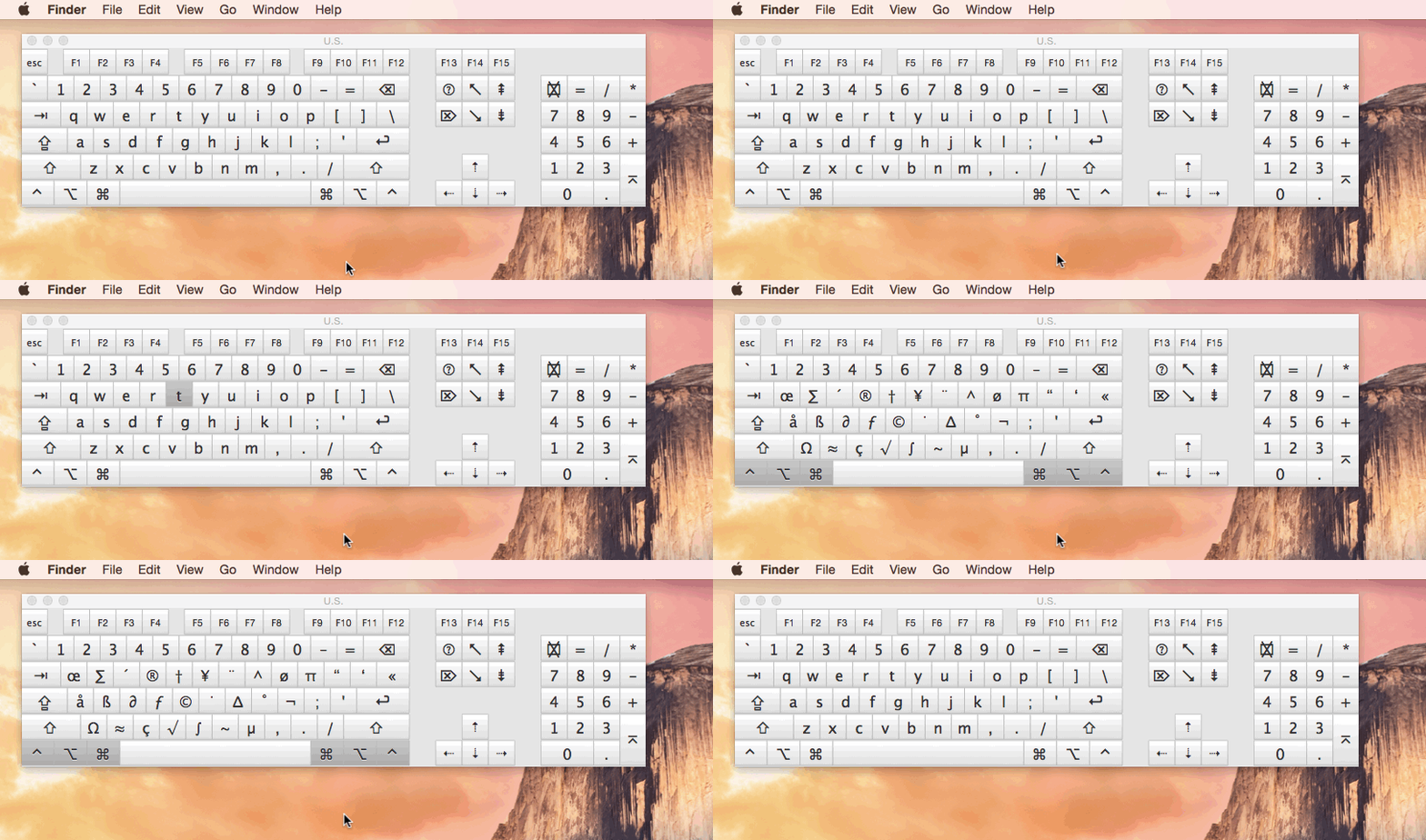
then press these keys
CTRL + OPT + CMD + T
Congrats you have successfully added shortcut for Darkmode in your Mac (Hackint0sh)
Video tutorial from youtube can be found here
by George Sruthin | Oct 14, 2014 | Howtos, Mac, OS
How to install wget in Mac OSX using Homebrew
install Homebrew first
Then type following command line in the terminal
$ brew install wget
installation will end fine