by George Sruthin | Dec 19, 2014 | Howtos, Linux, OS, Servers, Troubleshooting
Some of you may experience this error in your life if you are using linux .it happens when previous installation fails , here is the screenshot which is happened in my Linux Distro
E: Could not get lock /var/lib/dpkg/lock – open (11: Resource temporarily unavailable)
E: Unable to lock the administration directory (/var/lib/dpkg/), is another process using it?
its very easy to fix this error just type following commands in your terminal
sudo rm /var/lib/dpkg/lock
this will delete the “lock” directory in /var/lib/dpkg/
after that you can install what ever you want
by George Sruthin | Dec 13, 2014 | Howtos, Linux
How to fix Virtual Device error in Skype in linux
all audio devices detects as “Virtual Device”
in this case my Skype Version is 4.3.0.37
4.2 version also have this issue
this is occur because your system don’t have libpulse0:i386 package ! all you need is to install the package to fix the issue
now open up your terminal , type following command line
sudo apt-get install libpulse0:i386
type your password and press enter
press y and press enter to begin installation of package
after installation , quit Skype and relaunch ,
go to Skype ==Options ==Sound Devices == and check , now you can find PulseAudio detects
Check your Skype with Sound Test Service
go to Skype ==Options ==Sound Devices ==Make a test call
by George Sruthin | Dec 10, 2014 | Uncategorized
 |
HP’s The Machine : A New Kind of computer
|
By 2020, 30 billion connected devices will generate unprecedented amounts of data. The infrastructure required to collect, process, store, and analyze this data requires transformational changes in the foundations of computing. Bottom line: current systems can’t handle where we are headed and we need a new solution.
HP has that solution in The Machine. By discarding a computing model that has stood unchallenged for sixty years, we are poised to leave sixty years of compromises and inefficiencies behind. We’re pushing the boundaries of the physics behind IT, using electrons for computation, photons for communication, and ions for storage.
Prototype of HP’s The Machine @ HP Lab’s
The Machine will fuse memory and storage, flatten complex data hierarchies, bring processing closer to the data, embed security control points throughout the hardware and software stacks, and enable management and assurance of the system at scale.
The Machine will reinvent the fundamental architecture of computers to enable a quantum leap in performance and efficiency, while lowering costs over the long term and improving security.The industry is at a technology inflection point that HP is uniquely positioned to take advantage of going forward. The Machine demonstrates the innovation agenda that will drive our company, and the world, forward.
At HP Discover in Las Vegas, Martin Fink will tell you their vision of future for the New Style of IT
by George Sruthin | Dec 10, 2014 | Uncategorized
HP Discover is there again (December time frame for EMEA) and there are the new announcements.
An important message came from the HP Storage Division with a major update on its 3PAR portfolio. Find here the most important changes:
Hardware updates:
The current line-up in the 7000 range gets updated with new controllers. 7200 becomes 7200c (converged controller), 7400 becomes 7400c and there is a new “big” 7440c added with a huge 960 disks support.
The heart of the controller being the ASIC remains Gen4, the biggest difference is the expansion of the controller memory. This is off course needed for the second section of this post being the new file services added. There is separate cache foreseen (replicated across the controllers) for block and file access.
All controllers are now flash-optimized and can be used as AFA (All-Flash-Array) just like the 7450. The main difference however is that 7450 is AFA only, while the others can be configured with spinning media disks as well. Hot data gets cold after some amount of time, and so the 3PAR array can offload that not-so-hot data to cheaper spinning media…
Important message remains that, independent of the model you buy, you get the same features and functionality. Only the size is different. HP calls this Polymorphic Simplicity.
File Services:
One reason I am not attending HP Discover this time is that I had the possibility to attend a HP Storage event at HP in Houston with a lot of hands-on labs including all the new features. Including the newly announced File Services on the new 7xx0c models. Easy to set up, easy to manage. Really looking good.
If you wanted File Services so far you needed to add a pair of
HP StoreServ File Controllers which is mainly a Proliant DL server with Windows Storage Server running on top of it.
Now there is (finally) an on-controller option.
Let it be clear from the start: the StoreServ File Controller is not gone. Let’s take a look at the similarities and differences.
The File Persona (on-controller) is only supported on the new 7xx0c models. Any other 3PAR array still need the File Controller. This is because of the current models (without the ‘c’) due to the reduced amount of cache in the controllers.
Further the File Persona supports at launch up to 3.000 concurrent users (1500 users per controller pair), the File Controller is tested up to 40.000 users. It supports also more TBs per controller (352TB versus 128TB with the File Persona.
Besides that you can expect the typical features like SMB, NFS, LDAP, NDMP and Rest API support.
At launch there are 2 antivirus scan engines supported that can be integrated with the File Persona: Symantec Protection Engine and McAfee VirusScan Enterprise. There is in-flight and at-rest protection available.
New management interface
For those who are familiar with the current IMC management console they will confirm that it got a little dated compared to other tools like for instance HP OneView.
Well the 3PAR developers looked very good to their colleagues from the server team since they released now a complete new management stack which looks completely like the ‘doughnut’ view of OneView.
The new tool is called SSMC (StoreServ Management Console) and must be installed on a separate server and is running as a web service.
This tool is also the primary tool to manage block and file storage.
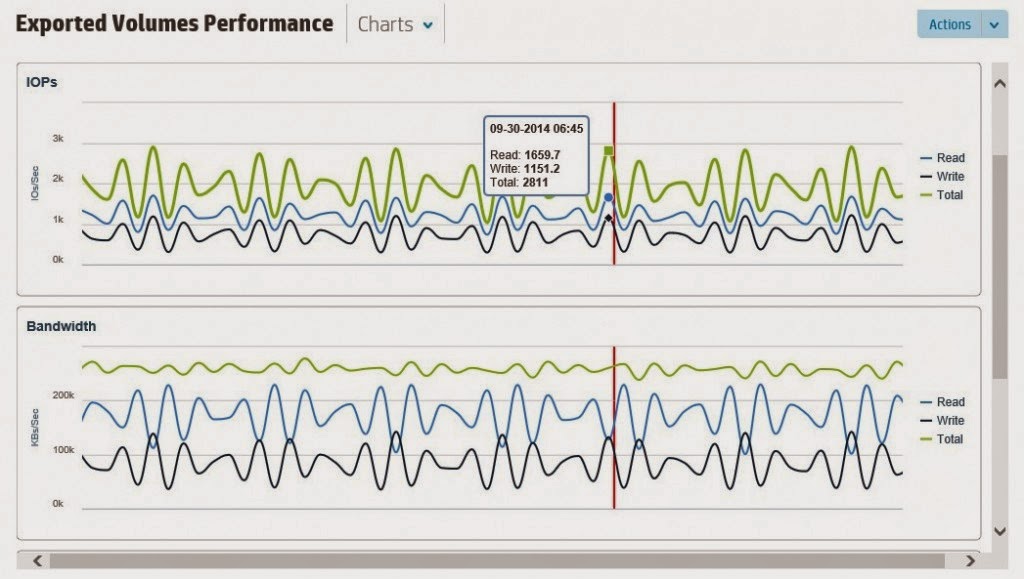
Also System Reporter functionality will be moved into this new console.
No separate license is needed, only requirement is 3PAR OS 3.1.3 and above.
t>