Select Page

How to download Expert One e-certificates , card from HP Partner Portal

for new Method scroll down 

Certified as an HP Professional ! want to download e-certificates ?

And you don’t know what to do that ? 

just follow the steps in the post 
first you need to go to  HP partner portal (google will give your link ) for asia pacific gateway  click this link select your country type your user id and password 

 click train and certify 

click benefits portal 
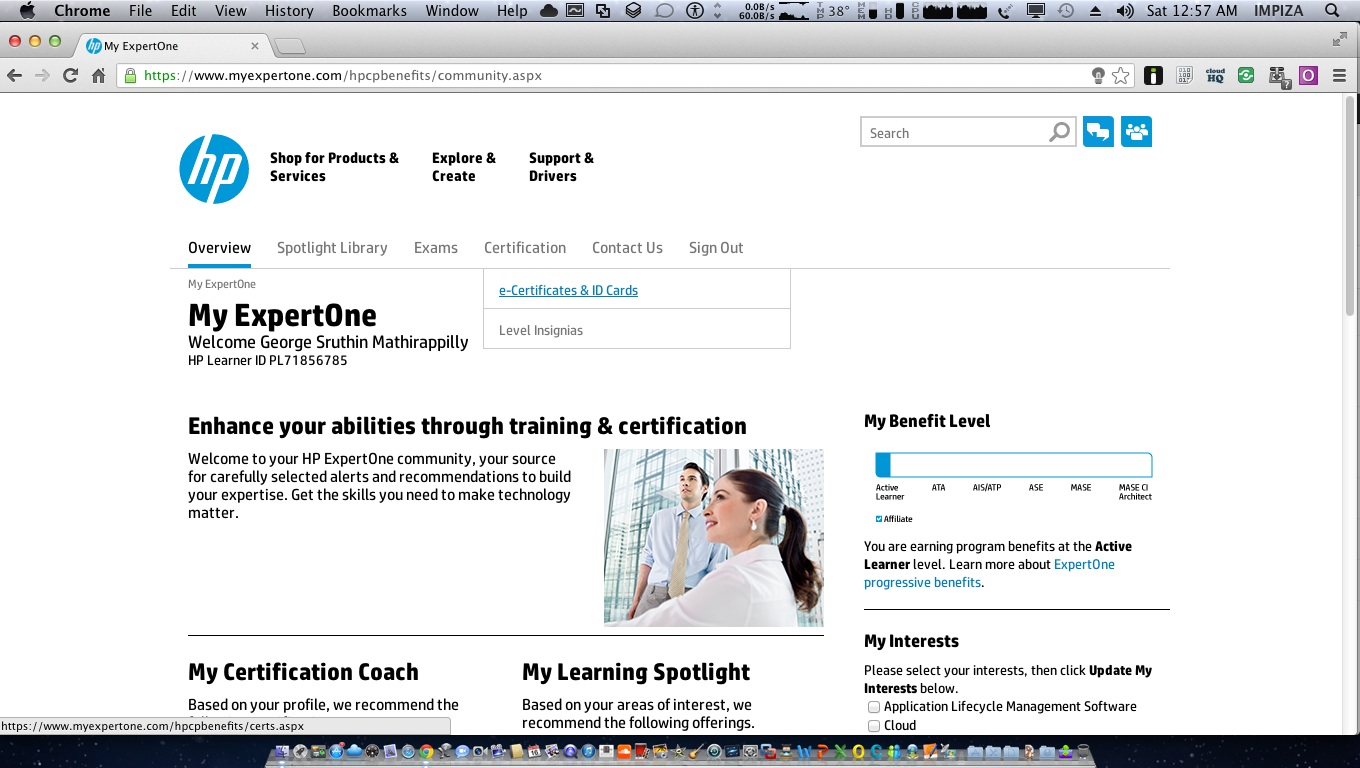
select e-Certificates & ID cards 

There you go …… now you can download your both certificates and id card 


# new Method 


login to HP Expertone partner portal using your partner id 


then click on Certification tab and Click on “e-Certificates & id card “
Scroll down 
Scroll down 
enjoy 


so here is your certificate from me for successfully completing how to download ExpertOne certificate 


 LOL…

                                                              enjoy 

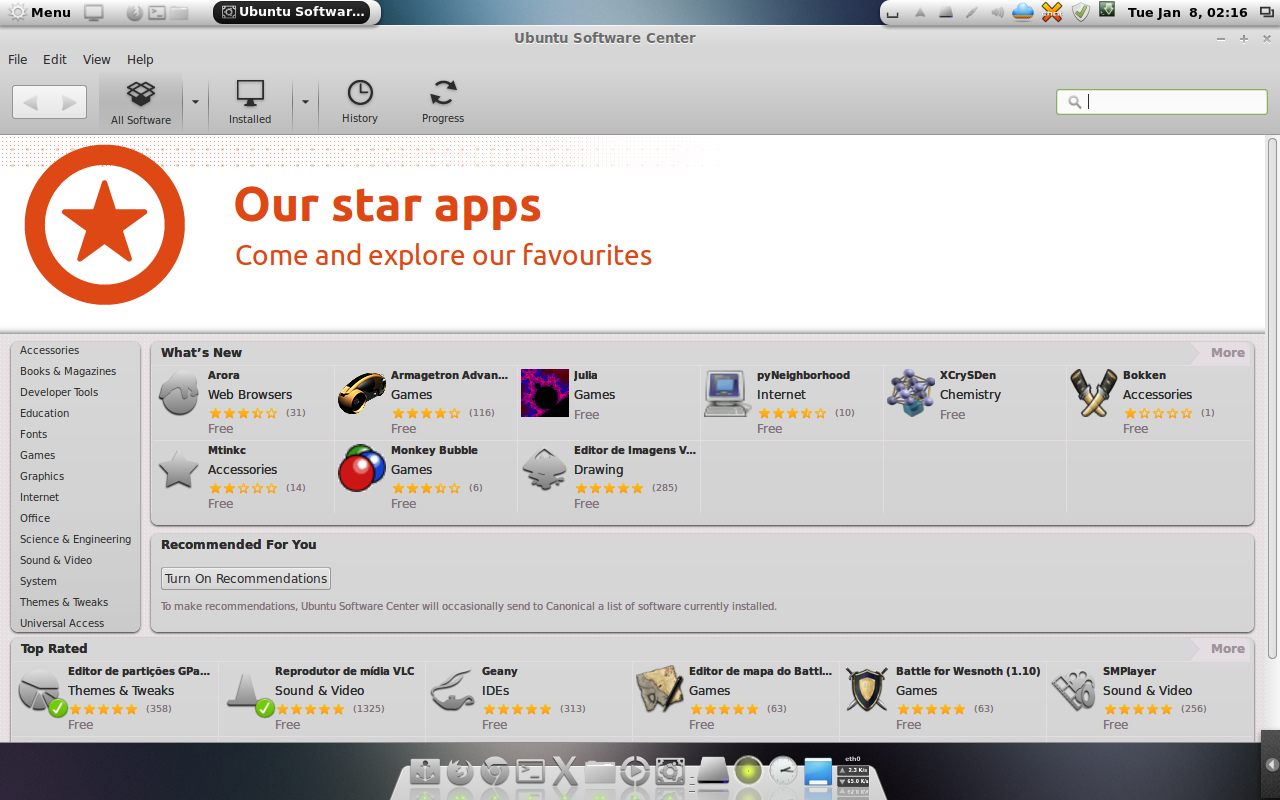
How to install & fix Ubuntu software-center error in LInuxmint

How to fix Ubuntu software-center error  Linux Mint 

There are some problem showing after installing ubuntu software-center in Linuxmint so how to fix this o_O ? i am going to show you how to fix this !

first you need to install Ubuntu software-center

  • for that open up your terminal
  • type following commands 

   
 sudo apt-get install software-center 

then it will ask you for permission

press y and press enter

it will take some time

and after that it will end up with some error msg like this

 
correct gamma=(0/100000)
Setting up humanity-icon-theme (0.6.1) ...
Setting up software-center-aptdaemon-plugins (0.1.5) ...
Setting up oneconf (0.2.9.1) ...
Setting up software-center (5.4.1.3) ...
ERROR:root:DebFileApplication import
Traceback (most recent call last):
File "/usr/share/software-center/softwarecenter/db/__init__.py", line 4, in
from debfile import DebFileApplication, DebFileOpenError
File "/usr/share/software-center/softwarecenter/db/debfile.py", line 25, in
from softwarecenter.db.application import Application, AppDetails
File "/usr/share/software-center/softwarecenter/db/application.py", line 27, in
import softwarecenter.distro
File "/usr/share/software-center/softwarecenter/distro/__init__.py", line 197, in
distro_instance = _get_distro()
File "/usr/share/software-center/softwarecenter/distro/__init__.py", line 172, in _get_distro
module = __import__(distro_module_name, globals(), locals(), [], -1)
ImportError: No module named linuxmint
Traceback (most recent call last):
File "/usr/sbin/update-software-center", line 38, in
from softwarecenter.db.update import rebuild_database
File "/usr/share/software-center/softwarecenter/db/update.py", line 33, in
from softwarecenter.backend.scagent import SoftwareCenterAgent
File "/usr/share/software-center/softwarecenter/backend/scagent.py", line 28, in
from softwarecenter.distro import get_distro, get_current_arch
File "/usr/share/software-center/softwarecenter/distro/__init__.py", line 197, in
distro_instance = _get_distro()
File "/usr/share/software-center/softwarecenter/distro/__init__.py", line 172, in _get_distro
module = __import__(distro_module_name, globals(), locals(), [], -1)
ImportError: No module named linuxmint 

or showing appcrash (Ubuntu software-center has closed unexpectedly)

its installed in your pc but you cant start it because software-center will crash

now you need to follow some steps to fix this problem

, let’s do a little bit of coding 😀

  • open /usr/share/software-center/softwarecenter/distro as root (dont do any thing foolishness because you cant undo )
  •  if you cant find LinuxMint.py in there then download it from below link 

  • then rename LinuxMint.py to linuxmint.py (just lowercase)
  •  open it and edit line 36, change LinuxMint to linuxmint

  •  rename debian.pyc to Debian.pyc

  •  open  _init_.py
  •  change the value in line 170
  •  change it from capitalize to lower

  • if you try to run it, it will show error because it cant find it’s xapian, so just get xapian files, unzip then and paste then in ( download link below )

    /var/cache/software-center/

                              
now you can enjoy your Ubuntu software-center in linuxmint

Different types of RJ 45 crimping

Difference between Straight 

Through , Crossover And Rollover 

Cables


There are generally three main types of networking cables. Straight-through, Crossover , and rollover cables . Each cables type has a distinct use , and should not be used in place of another.So how do you know which cable to use for what you need ?

The Purpose of Straight-Through Cables

Straight-through cables get their name from how they are made. out of the 8 pins that exist on both ends of an Ethernet cable, each pin connects to the same pin on the opposite side. Review the diagram below for a visual


Notice how each wire corresponds to the same pin. This kind of wiring diagram is part of the 568B  standard achieves the same thing, but through different wiring. it is generally accepted to use the 568A standard as pictured, since it allows compatibility with certain telephone hardware- while 586B doesn’t

Straight-through cables are primarily used for connecting unlike devices. A straight-through cable is typically used in the following situations:

Use a Straight-through cable when:

  • Connecting a router to a hub
  • Connecting a computer to a switch
  • Connecting a LAN port to a switch, hub, or computer


Note that some devices such as routers will have advanced circuitry, which enables them to use both crossover and straight-through cables. in general, however, straight-through cables will not connect a computer and router because they are not “unlike devices.”

The Purpose of Crossover Cables

Crossover cables are very similar to straight-through cables, except that they have pairs of wires that crisscross This allows for that devices to communicate at the same time. unlike straight-through cables, we use crossover cables to connect like devices. A visual example can be seen below:


Notice how all we did was switch the white-orange and white-green wires, then the orange and green wires, This will enables like devices to communicate. Crossover cables are typically used in the following situations:

Use a Crossover Cable when:

  • Connecting a computer to a router
  • Connecting a computer to a Computer
  • Connecting a router to a router
  • Connecting a switch to  a switch
  • Connecting a hub to a hub

While the rule of a thumb is to use crossover cables with like devices, some devices do not follow standards. Others provide support for both types of cables. However, there is still something that both crossover and straight-through cables can’t do.

The Purpose of Rollover Cables

Rollover cables, like other cabling types, got their name from how they are wired. Rollover cables essentially have one end of the cable wired exactly opposite from the other. This essentially “rolls over ” the wires but they would we need to do such thing? Rollover cables, also called Yost cables, usually connect a device to a router or switch’s console port. This allows a programmer to make a connection to a router or switch, and program it as needed. A visual example can be seen below:


Notice that each wire is simply “rolled over.” These types of cables are generally not used very much, so are usually colored differently from other types of cables.

Thanks for reading my article

NFC (near field communication)


WHAT IS NFC ?

NFC stands for near field communication

its a wireless technology which allows users to transfer data (btw two nfc enabled devices )such as texts or some sort of commands to launch apps in phones or to enable some tasks like enable wifi , alarm , open url ,etc! 
usually its available in market like nfc tags or stickers , wristbands ,key chain etc ! 

it contain small microchips with aerials . this small device has a ability to store a small amount or information and transfer to a near nfc enabled device ! 

its also use in new computer also see eg here 


HP Spectre one review ! see 1:21 that part describe its feature :)!

Hmm nice huaa
 there are many web sites which allow users to buy nfc tags and one of the best is 
tagsfordroid.com

they provide better quality products  


what they provide ?…

  • Memory size = 1,024 bytes (1KB) r
  • Rewrite Endurance = 100,000 cycles
  • Data Retention = 10 Years 
  • Operating Frequency = 13.56 MHz
  • Lockable ability =  ” Yes , locking tag will protect data by making the tab read only . Tags can not be unlocked once they are locked ” !
  • Operating range = < 2cm depends on device
  • Device Compatibility =  Compatible with NFC enabled smartphones that have NXP NFC chipset (Read FAQ for more info ) drop in replacement samsung tactiles 

Tag Enclosure Specs

  • Meterial=Rigid White PVC (about as thick as a credit card )

    •  Dimensions = 30 mm disc (1-3/16″-about the size of a US Quarter Dollar coin)

      •  Notes = Waterproof, 3M Adhesive Backing

      Key Chain Enclosure Specs


    •  Material 
    • Gray Plastic 
    • Dimensions
    • 42mm x 36mm x6mm 


How to use nfc tags ? 
  1. Enable NFC in your device 
  2. Goto app store
  3. install NFC app from app store 
  4. format the tab
  5. Create action with the help of NFC app
  6. write action to you tag
  7. touch phone to tag .. action happen ! 
  8. Enjoy your phone ! 
 

How to see passwords in Browser

     How to see passwords in Browser ?


yep you can see your or your friends password while typing or see saved password ! 

how ? 


i will add my video about this tutorial 

here i am posting my new tutorial about how to see password in safari , old one doesn’t have that info

Thanks for watching my tutorial , plz give your valuable comments and suggestions, share in your social media sites , and Click some ads ;D


Thanking you all in anticipation ! 

Pin It on Pinterest