Select Page

How to fix MSVCR100.dll file missing in Medal Of Honour Warfighter while installation

Recently i have installed medal of honor warfighter
but after installation there is an error msg popup 
saying that 
 
 
“The Program can’t start because MSVCR100.dll is missing from your 
computer .Try reinstalled the program to fix this problem”
 
 
i dont know how to solve this , so i have googled a bit and finaly find a solution , this is coz your system dont have a required .dll file in your  system32 directory 
 
 
So how to fix this issue ? 
 
solution ! 
 
you need to download a dll file from the following url given below 


after download this file open it its a zip file 
 
 
then open My computer
CWindowsSystem32
 
Check you installed Windows in C Partition if not then your partition Letter will not be C  😀 
 
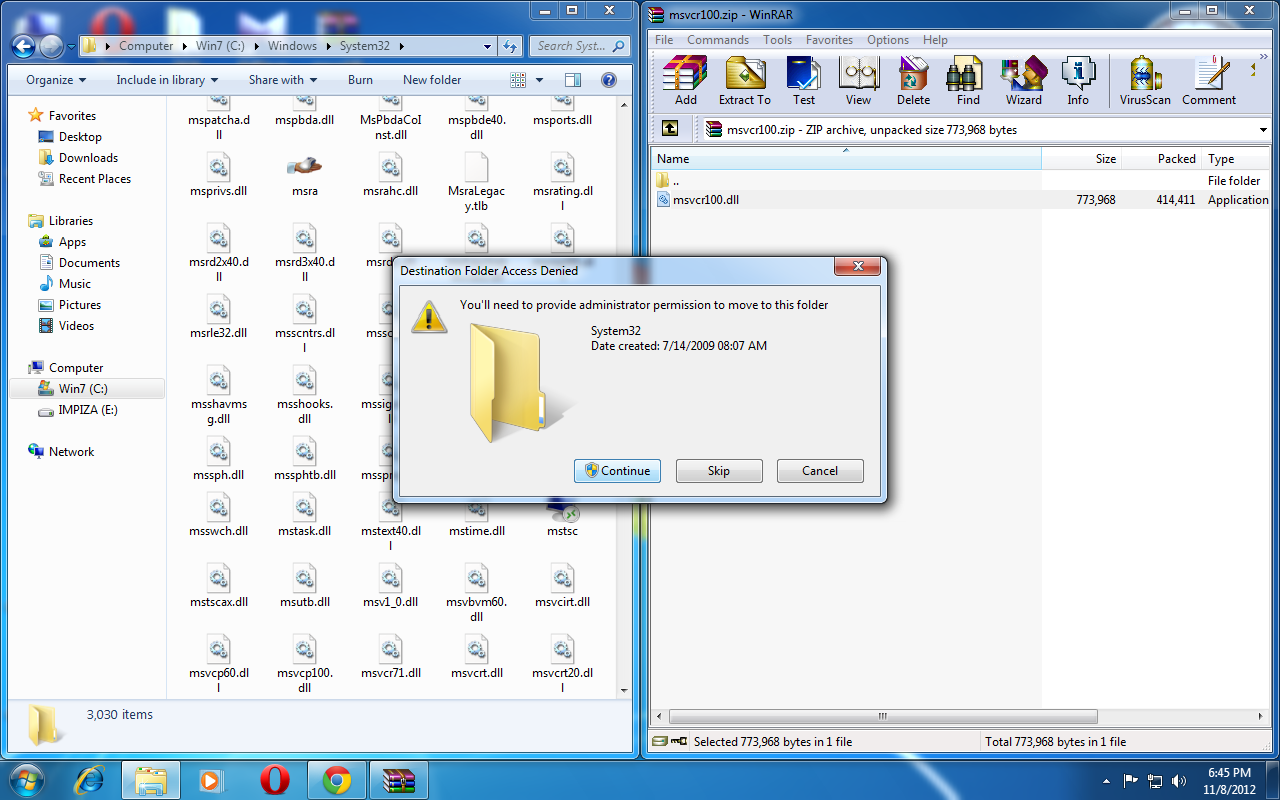
ok then drag and drop msvcr100.dll file to system32 directory 
 
it will ask you a warning message 
 
like this 

Press Start and select Run.
Type CMD and press Enter
Type regsvr32 msvcp100.dll and press Enter (this is use to register this DLL file)

Click continue, Done ! 


after copying you can play game ! enjoy 

HP Pavilion G4/G6 Notebook CMOS Reset Implementation


Subject:
 HP Pavilion G4/G6 Notebook– CMOS Reset Implementation

Please check the steps to check the Notebook (HP Pavilion G4/G6 ) issue with caps lock/Num lock led is blinking twice.
If an end customer is walking in or calling for Powering on but no Display issue on the HP Pavilion G4/G6 Series of notebook and HP 2000 series notebook, pls noted own the Led/beep codes in the case notes
If the caps lock/Num lock led is blinking twice, pls don’t raise any part and follow the below steps.
Engineer need to perform the CMOS reset, by removing the RTC Cable connector on the system board and short the RTC Connector on system board.
Display should come after performing this activity.
If engineer confirms, issue is still not fixed after the CMOS reset, let engineer perform the standard troubleshooting , POST, which required part may be raised.
Step 1: Perform a power reset
If your computer does not start, first reset all power to device. Hopefully, the problem is temporary and can be fixed by performing the following steps:
1.       Disconnect all peripheral devices such as printers, USB storage devices and media cards.
2.       Disconnect the AC power adapter.
3.       Remove the battery.
4.       Press and hold the power button for at least 15 seconds .
5.       Reconnect the AC power adapter (do not connect the battery), and press the Power button .
6.       Look for glowing LEDs near caps lock and num lock keys, and listen for sounds of drives and fans turning.
7.       If the computer still fails to start and emits lights or beeping sounds, continue to the next section
Step 2: Write down the LED or beep code
Use the following steps to write down the error conditions.
NOTE:After the sequence of blinks or beeps, there is a pause for a few seconds, and the sequence is repeated (usually 3 or 4 times). The blink sequence can be repeated by pressing the power button.
1.      Press the power button to turn on the computer.
2.      Your computer’s power socket or power adapter may have an LED. If it has an LED, look at the light next to the power socket or the light on the AC power adapter and note its condition: off, blinking or constantly on.
3.      Look at the Caps Lock / Num Lock key indicator light and note its condition. If the light blinks, count the number of times it blinks between pauses.
4.      Listen to your computer for any loud beeping noises. If your computer makes a beeping noise, note the type and number of beeps between pauses. For example: two long beeps followed by one short beep.
5.       write down what you have noted to remember the error when doing the next steps.
Code descriptions
Use the following table to learn about the meaning of a code that your computer may encounter.



How to run Android apps on Windows !

Is That Possible o_O ?

of course it is ! 
Now a day it is possible to run Android apps on PC or even Mac 


What makes That Possible o_O ?

Bluestacks

Working OS : Both Windows and Mac
For Mac installing tutorial Click here
How to download and Install Bluestacks


Download Bluestacks app from official website


Install app


starting


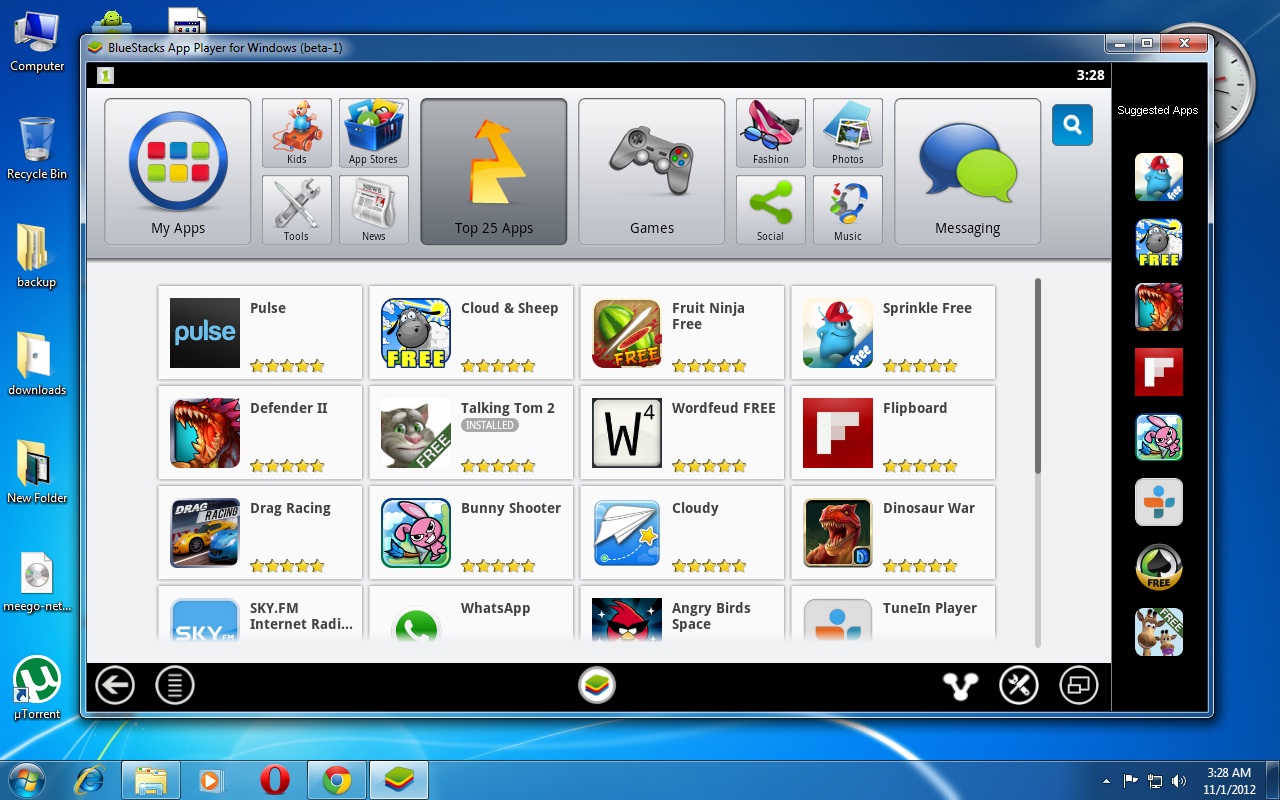
After lauched 


Most of the apps works with Bluestacks WOW


Android apps running on my Desktop ! 

Bluestacks history 

How to run Android apps on Mac !

Is That Possible o_O ?

of course it is ! 

Now a day it is possible to run Android apps on Mac or even pc 


What makes That Possible o_O ?

Bluestacks

Working OS : Both Windows and Mac
For Windows installing tutorial Click here
How to download and Install Bluestacks


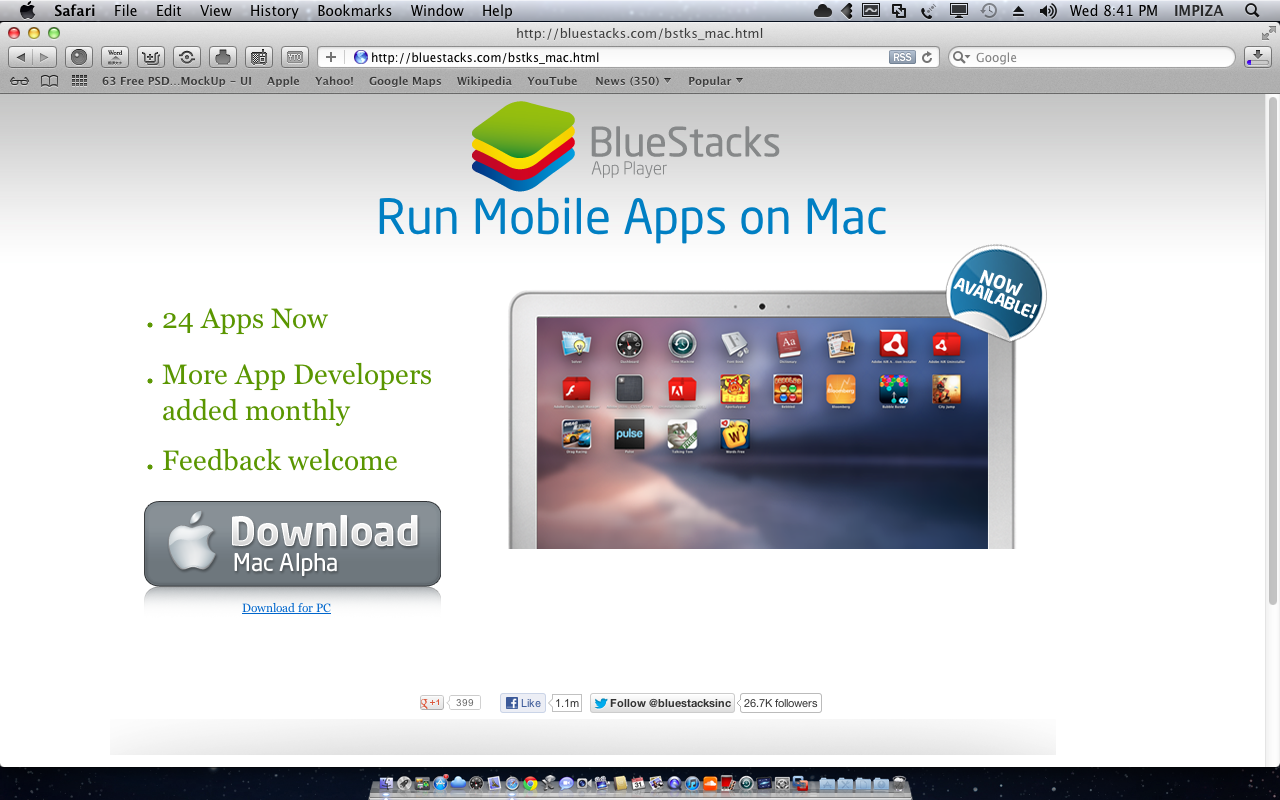
Download Bluestacks app from official website


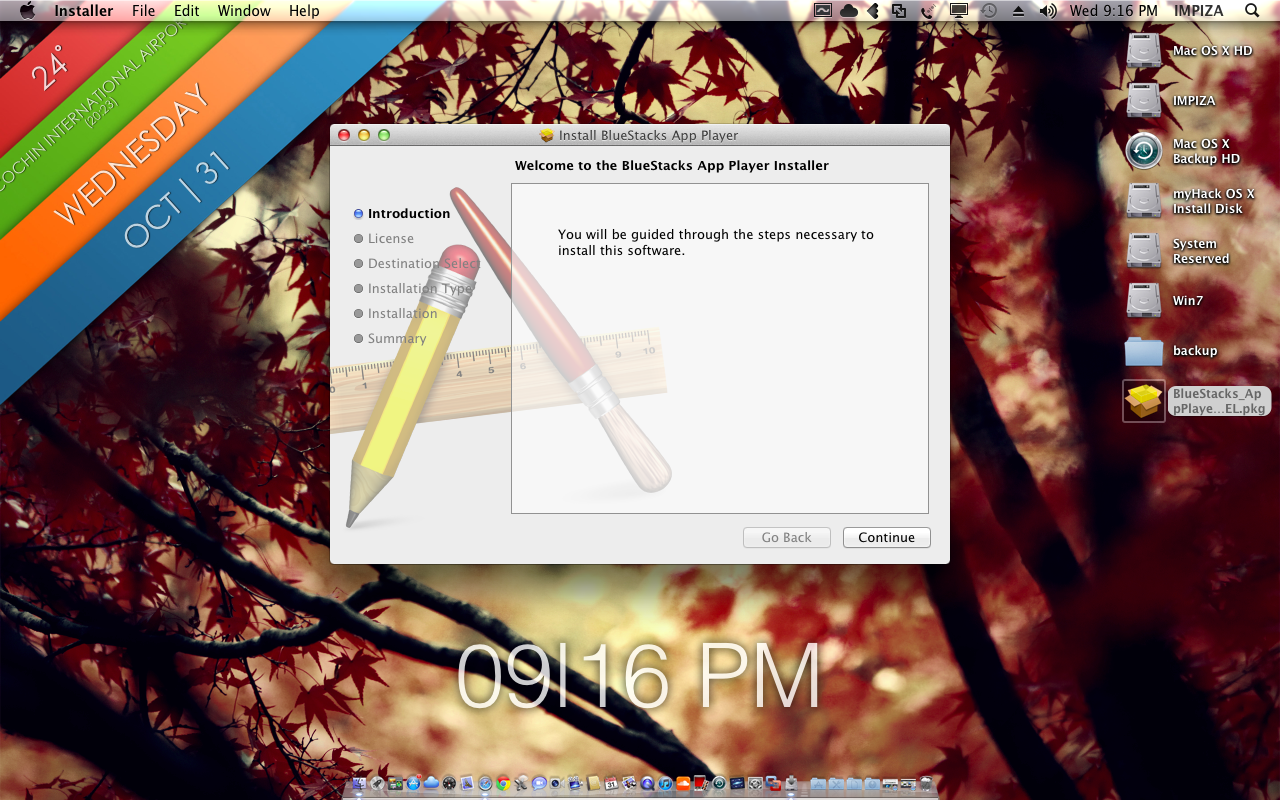
Install app


Find app from Dock or launchpad And launch it 

OR


How its looks on a video from youtube ! 

Guake terminal

What is Guake termianl ?

Guake is a top-down terminal for Gnome (in the style of Yakuake for KDE, Tilda or the terminal used in Quake).


Guake is a drop-down terminal for GNOME Desktop Environment. Like similar terminals, it is invoked with a single keystroke, and hidden by pressing the same keystroke again. Its design was inspired from consoles in computer games such as Quake which slide down from the top of the screen when a key is pressed, and slide back up when the key is pressed again. Guake follows the same line of Yakuake and Tilda, but it’s an attempt to meld the best of them into a single GTK-based application. Guake has been written from scratch.
Running Guake is faster than launching a new terminal with a keyboard shortcut because the program is already loaded into memory, and so can be useful to people who frequently find themselves opening and closing terminals for odd tasks.
How to install Guake ?
open up your terminal type following terminal commands 
Fedora 


  yum install guake

Debian/Ubuntu/LinuxMint


    sudo apt-get install guake


Gentoo 


  emerge -av guake


Screenshots 


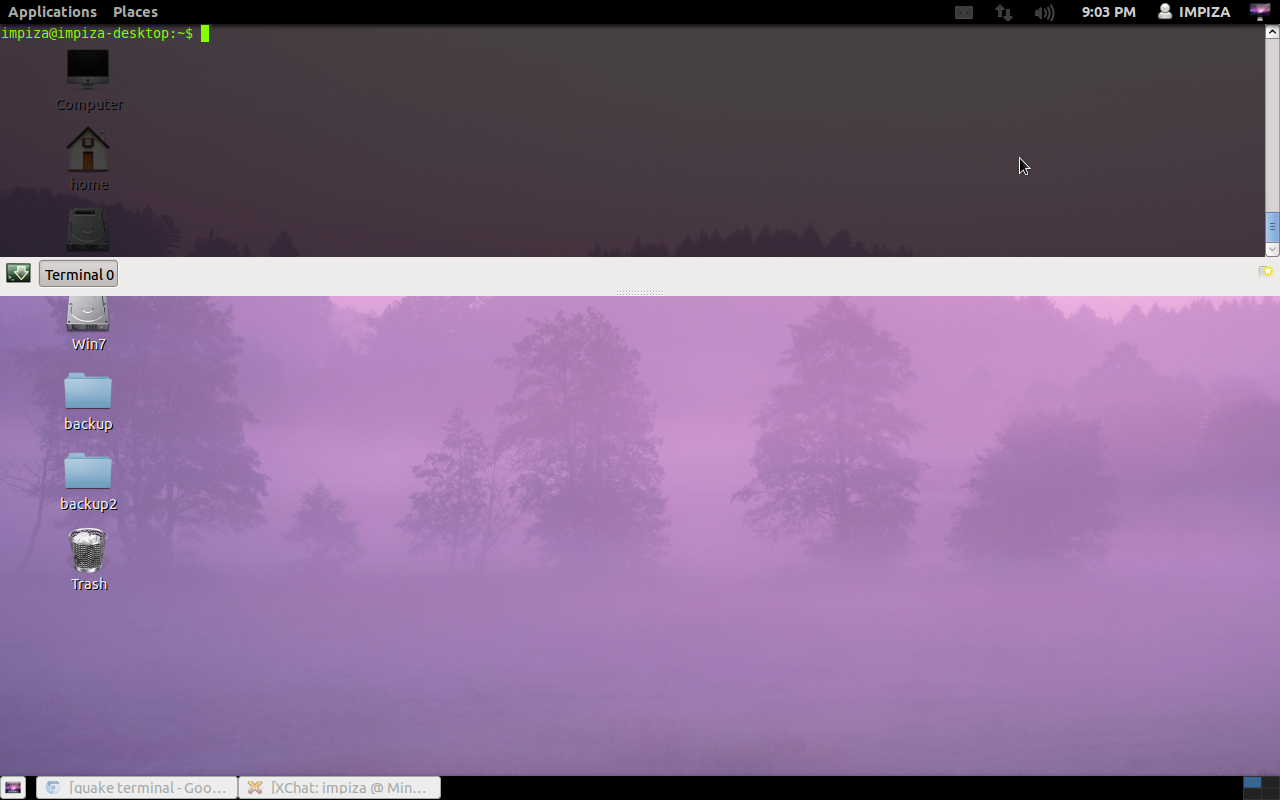
Press F12 key to Drop down terminal 

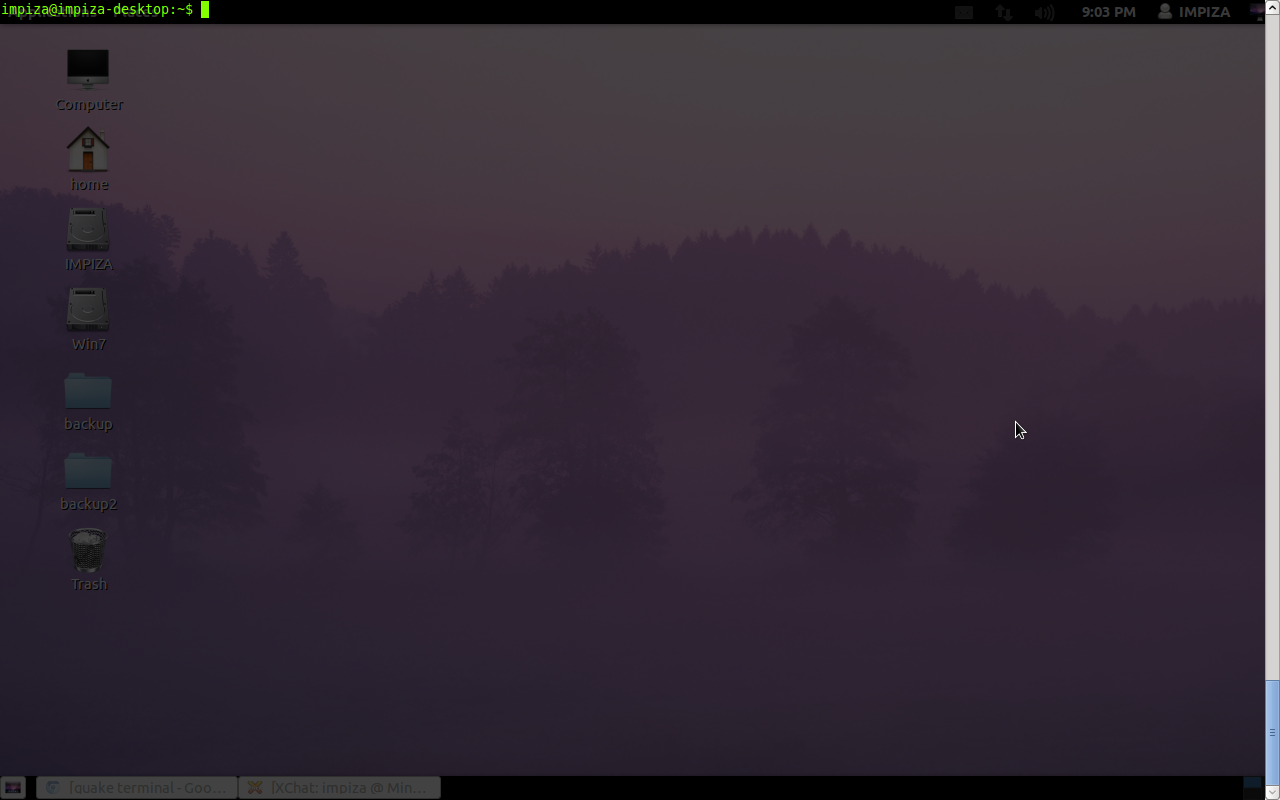
Press F11 key to maximize terminal to full screen 
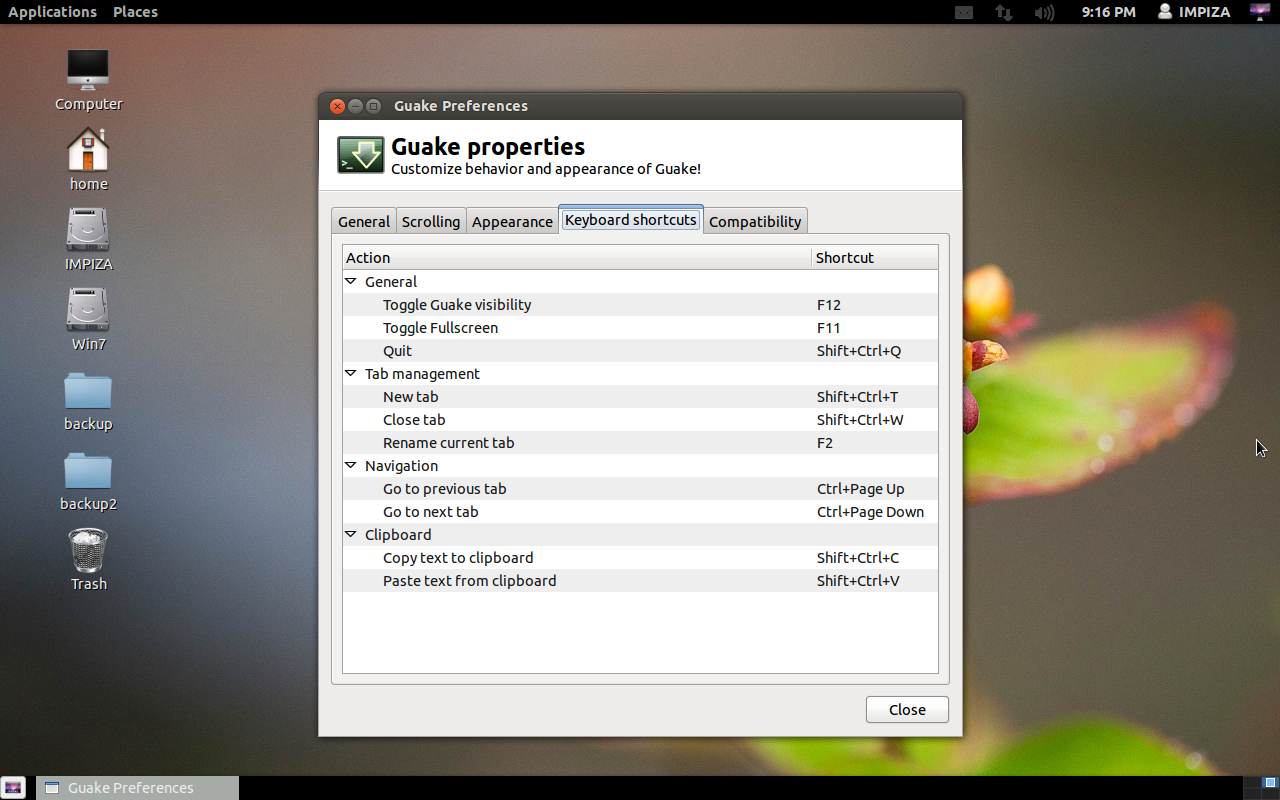
Guake terminal Properties (Keyboard Shortcuts)

Pin It on Pinterest