
ESXi Customizer Windows 10 Fix

by George Sruthin | Apr 2, 2019 | Howtos, VMware Esxi | 1 comment

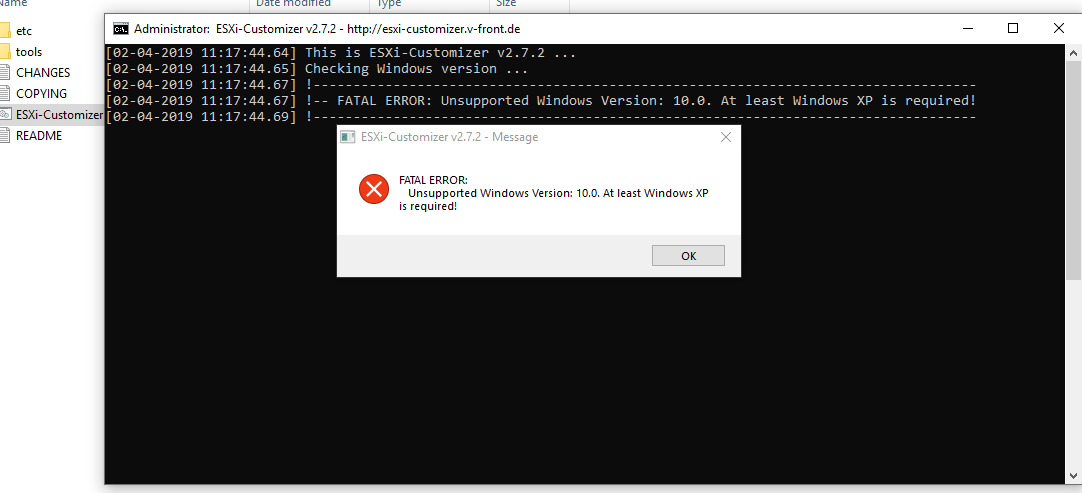
You may face this issue when running ESXi-Customizer in Windows 10, to fix this you need to follow this instruction.
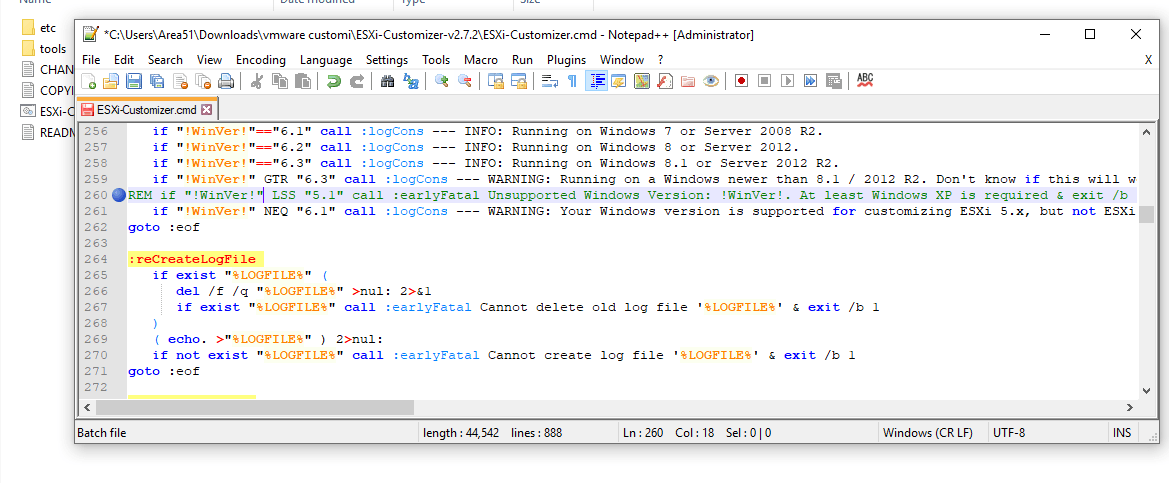
 

Open ESXi-Customizer.cmd file in Notepad++, and goto line 260 then add "REM" in the begin of the line

if "!WinVer!" LSS "5.1" call :earlyFatal Unsupported Windows Version: !WinVer!. At least Windows XP is required & exit /b 1
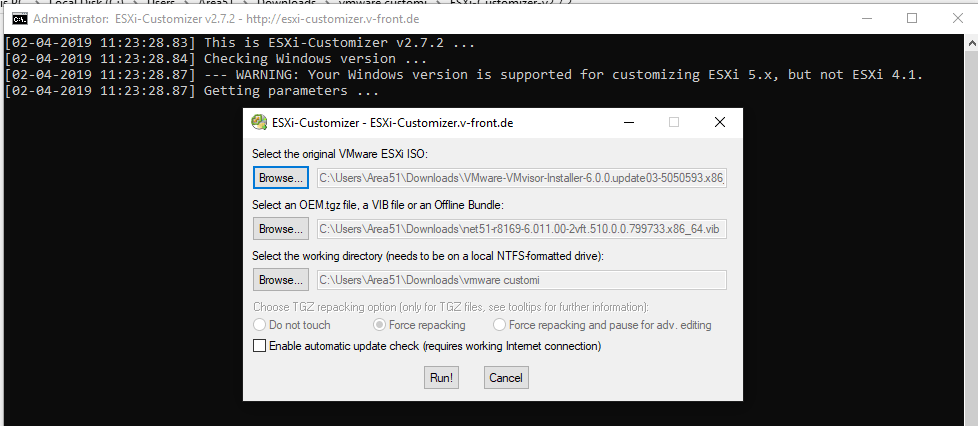
To

REM if "!WinVer!" LSS "5.1" call :earlyFatal Unsupported Windows Version: !WinVer!. At least Windows XP is required & exit /b 1

Enjoy

The Inspiration Behind This Article ⭐

Special thanks to Jake on LinkedIn for the inspiration behind this blog post. Your thoughts on the "Ivory Tower" concept encouraged me to expand on the idea and explore how it impacts leadership, IT, and organizational decision-making.

Written By George Sruthin

👋 Hi, I'm George Sruthin, founder of TechRidez. 💻 I help IT professionals solve real-world infrastructure challenges through practical guides on 🐧 Linux, ☁️ Cloud, 🖥️ Virtualization, 💾 Enterprise Storage, 🔐 Cybersecurity, 🌐 Networking, and ☁️ Backup Solutions.

Related Posts

Comments

1 Comments

1 Comment

  1. Timur

    Dear Sir / Madam,

    Thank you content sharing .

    Reply

Submit a Comment


Subscribe For Instant News, Updates, and Discounts

Pin It on Pinterest

Shares
Share This