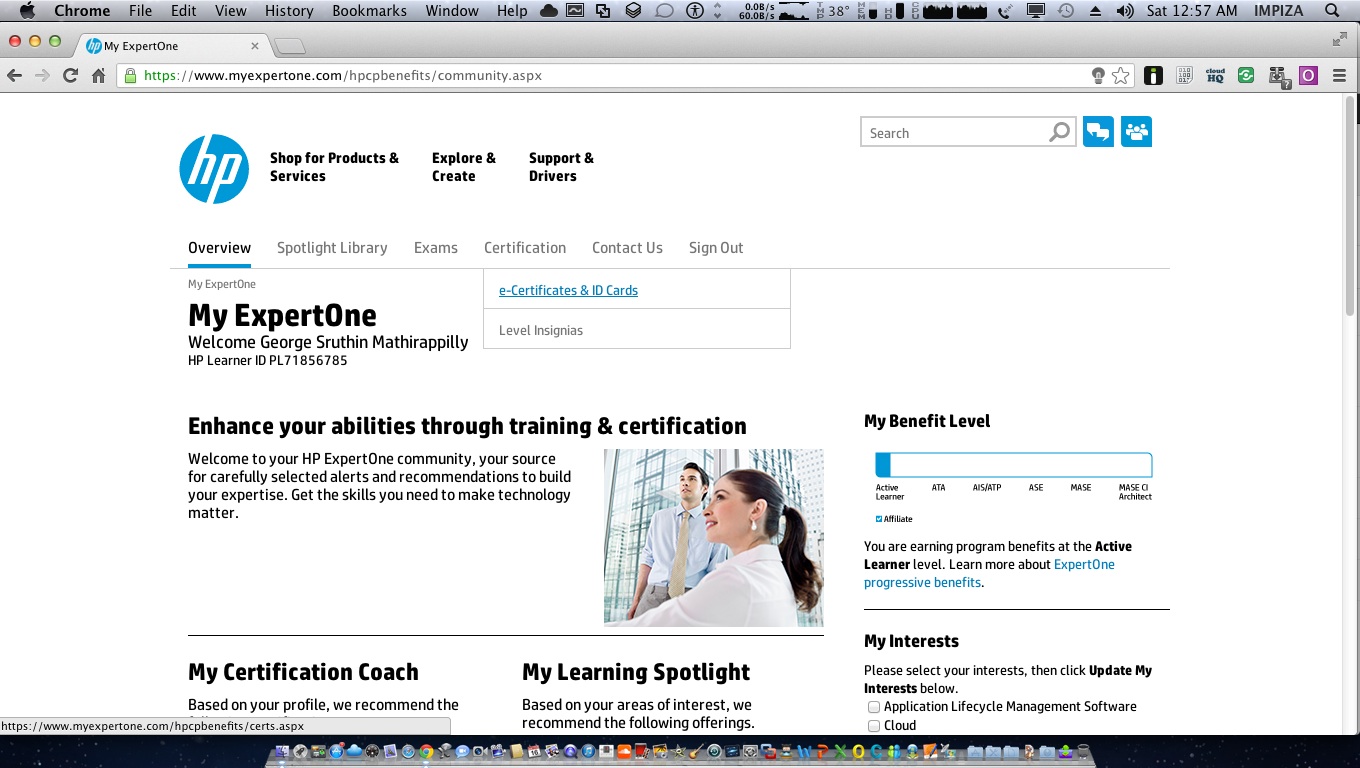
How to download Expert One e-certificates , card from HP Partner Portal new method

by George Sruthin | Mar 15, 2013 | Uncategorized | 0 comments

goto this link https://www.myexpertone.com/hpcpbenefits/hplogin.aspxlogin to HP Expertone partner portal using your partner id then click on Certification tab and Click on "e-Certificates…

goto this link https://www.myexpertone.com/hpcpbenefits/hplogin.aspxlogin to HP Expertone partner portal using your partner id then click on Certification tab and Click on "e-Certificates…


login to HP Expertone partner portal using your partner id 


then click on Certification tab and Click on “e-Certificates & id card “
Scroll down 

Download
enjoy 

Written By George Sruthin

👋 Hi, I'm George Sruthin, founder of TechRidez. 💻 I help IT professionals solve real-world infrastructure challenges through practical guides on 🐧 Linux, ☁️ Cloud, 🖥️ Virtualization, 💾 Enterprise Storage, 🔐 Cybersecurity, 🌐 Networking, and ☁️ Backup Solutions.

Related Posts

Comments

0 Comments

0 Comments

Submit a Comment


Subscribe For Instant News, Updates, and Discounts

Pin It on Pinterest

Shares
Share This